
Reviews
Your slides are my "secret sauce" when it comes to presenting my ideas to clients. I save a lot of time.
J'avais un délai de livraison à respecter et je n'avais pas le temps de créer une variété de modèles de diapositives. Infodiagram m'a proposé des options faciles à télécharger et à personnaliser en fonction de mes besoins !
Vos diapositives suscitent souvent de précieux commentaires et idées de la part de mon équipe, ce qui améliore les diapositives finales.
Description
PORTER’S FORCES - BULLETS
Slide Content
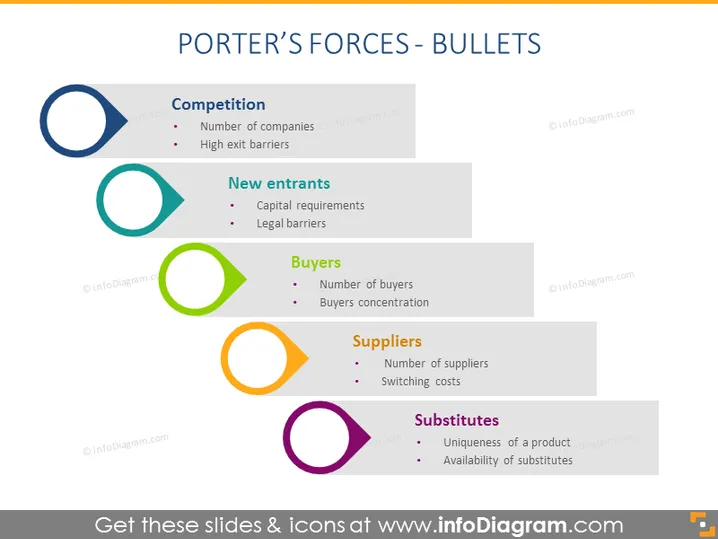
The slide provides a bulleted list overview of Porter's Five Forces model, covering the elements of "Competition," with the number of companies and high exit barriers; "New entrants," including capital requirements and legal barriers; "Buyers," noting the number of buyers and buyers' concentration; "Suppliers," with the number of suppliers and switching costs; and "Substitutes," which refers to the uniqueness of a product and the availability of substitutes.
Graphical Look
- The slide background is solid white.
- There are five colored circular icons, each representing a different force of Porter's model.
- The icons are aligned in a horizontal row and vary in color—dark blue, teal, green, orange, purple.
- Each icon is accompanied by a corresponding title aligned to its right and a light grey rectangular shape extending behind the title and bullets.
- A short list of bullet points sits to the right of each icon, explaining key aspects of each force.
- Fonts are black with a clean, sans-serif typeface, maintaining readability and contrast against the white and grey background. The slide has a modern and minimalist design that focuses on clarity and ease of understanding.
Use Cases
- Introducing the concept of Porter's Five Forces in a strategic planning or business analysis meeting.
- Expanding on market dynamics during a business or marketing course presentation.
- Preparing for a competitive analysis presentation to stakeholders or potential investors.
- Setting the stage for a discussion on business strategy development in a corporate training session.
How to Edit
How to edit text & colors

How to expand / shorten diagram

How to Replace Icons in infoDiagram PPT


