

Your graphics add a nice touch to my presentations and I recently used them for one of my all-hands meetings. Your toolbox adds professionalism to my slides. Instead of using standard clipart.
Claude Jones, Director of Engineer, @Walmartlabs, USA

Your graphics add a nice touch to my presentations and I recently used them for one of my all-hands meetings. Your toolbox adds professionalism to my slides. Instead of using standard clipart.
Claude Jones, Director of Engineer, @Walmartlabs, USA
I needed a fresh look at some of my slides. I've tried to find a way to create a paintbrush effect, to underline, accentuate, add some color and the handwritten markers were just the things. Very easy to use, easy to size, change the color. It was an affordable, perfect solution and I'm happy to recommend it.
Anonymous, US
The crisp, clean look of the graphics, and the fact that it allowed me to easily edit and change the colors to match the template was my main reason for purchasing them.
Brandie Jenkins, E-learning Developer, USA
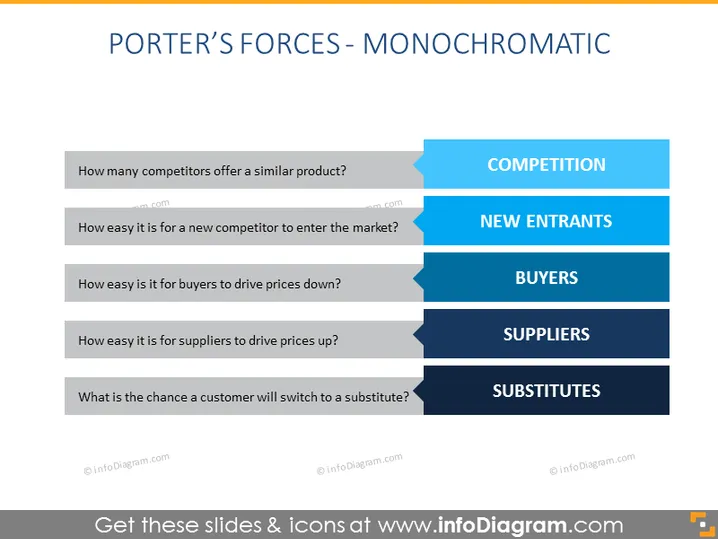
The slide presents an overview of Porter's Five Forces framework in a monochromatic blue style. Each force is listed alongside a corresponding question that provokes analysis: "COMPETITION" deals with the number of similar product competitors; "NEW ENTRANTS" assesses the ease of market entry; "BUYERS" examines the power buyers have to drive prices down; "SUPPLIERS" inquires into the suppliers' ability to increase prices; "SUBSTITUTES" considers the likelihood customers will switch to alternative products.
The slide has a structured and modern feel, with a gradient effect giving depth to the design elements. The consistent use of color and simple design provides an easy-to-follow visual guide to Porter’s Forces.



