
Reviews
Vos graphiques ajoutent une belle touche à mes présentations et je les ai récemment utilisés pour l'une de mes réunions générales. Votre boîte à outils ajoute du professionnalisme à mes diapositives. Au lieu d'utiliser des cliparts standards.
J'avais besoin d'un nouveau regard sur certaines de mes diapositives. J'ai essayé de trouver un moyen de créer un effet de pinceau, de souligner, d'accentuer, d'ajouter de la couleur et les marqueurs manuscrits étaient exactement ce qu'il fallait. Très facile à utiliser, facile à ajuster la taille, à changer la couleur. C'était une solution abordable et parfaite et je suis heureux de la recommander.
L'aspect net et épuré des graphiques, et le fait qu'il m'ait permis d'éditer et de changer facilement les couleurs pour les adapter au modèle, ont été les principales raisons de mon achat.
Description
Icons: Population, area and time
Slide Content
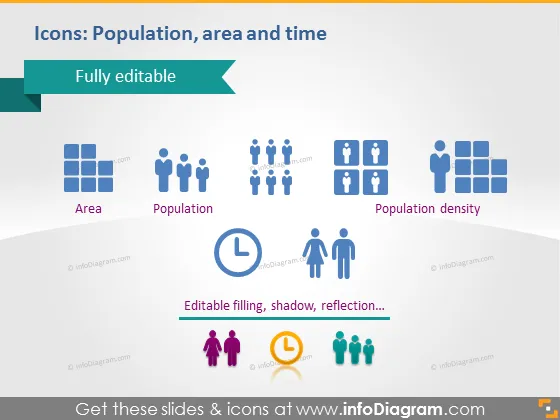
The slide aims to present a collection of fully editable icons related to demography and temporal concepts. "Area" is symbolized by square blocks representing a gridded space, typically associated with geographic territory. "Population" is denoted by a group of human figures, signifying the number of people in a given area. "Population density" combines the area and population icons to indicate the number of people per unit of land, a critical demographic metric. Lastly, a clock icon beside a man and a woman implies aspects of time relating to demographics, such as growth rates or temporal changes.
Graphical Look
- The slide background is a gradient of light to darker blue, symbolizing reliability and trust.
- At the top, a banner with the text "Fully editable" and an arrow emphasizes the customizable nature of the icons.
- There are three sets of icons in the center of the slide. Each set consists of:
- A larger block to represent 'Area', indicated by square shapes positioned closely to suggest a geographic space.
- Human figures for 'Population', with multiple figures indicating a group or community.
- Overlapping square blocks and human figures for 'Population density', connecting the concepts of area and population visually.
- Below the sets, a horizontal banner with the label "Editable filling, shadow, reflection..." denotes the customizable features of the icons.
- Each icon has a small caption describing what it represents.
- To the bottom corner, two human figures with a clock icon between them represent the element of time associated with demographics.
The slide has a professional and clean layout, with a color palette that conveys a sense of methodology and structure. The icons and text are well organized, providing a straightforward visual message.
Use Cases
- To explain key demographic concepts in an educational or training presentation.
- When illustrating population-related data, such as in a public policy or urban planning report.
- For visual support in demographic analysis during a business or marketing meeting to discuss target audiences or market segmentation.
- In a proposal or report to discuss the impact of temporal changes on population metrics within a specific geographic area.
How to Edit
How to edit text & colors

How to expand / shorten diagram

How to Replace Icons in infoDiagram PPT


