
Reviews
Your graphics add a nice touch to my presentations and I recently used them for one of my all-hands meetings. Your toolbox adds professionalism to my slides. Instead of using standard clipart.
I needed a fresh look at some of my slides. I've tried to find a way to create a paintbrush effect, to underline, accentuate, add some color and the handwritten markers were just the things. Very easy to use, easy to size, change the color. It was an affordable, perfect solution and I'm happy to recommend it.
The crisp, clean look of the graphics, and the fact that it allowed me to easily edit and change the colors to match the template was my main reason for purchasing them.
Description
Waste classification
Slide Content
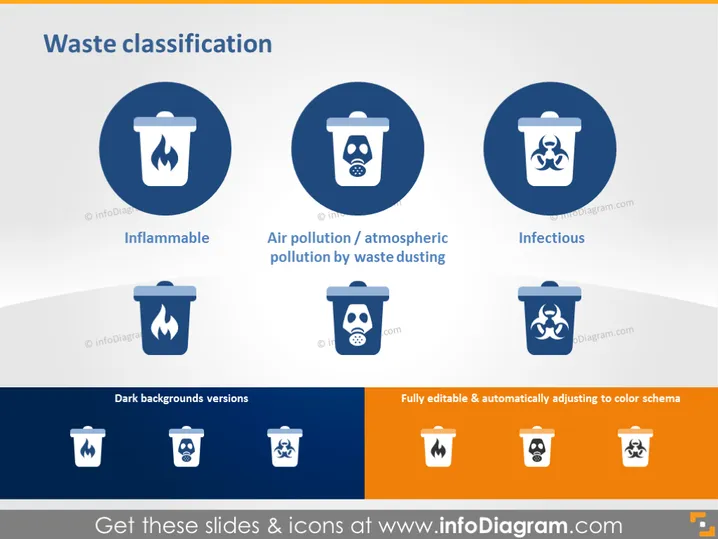
The PowerPoint slide titled "Waste classification" presents three categories of waste: Inflammable, Air pollution/atmospheric pollution by waste dusting, and Infectious. Each category is accompanied by a stylized icon inside a circular shape, which visually represents the type of waste - a trash bin with a flame for Inflammable, signifying materials that can easily catch fire; one with dust or fumes to depict Air pollution, indicating waste that contributes to air quality degradation; and one with a biohazard symbol for Infectious, denoting waste that can spread pathogens.
Graphical Look
- Three large circular icons with a uniform style dominate the slide's upper half, each encasing a white trash bin symbol against a navy blue background; the icons are distinct by the pictograms of flame, dust, and biohazard sign.
- Below each large circle is a corresponding caption with a descriptive term for the waste category, set in white bold font against the slide's light background.
- In the slide's lower half, there are six smaller icons showing a variety spectrum of the same trash bin symbols on both dark and light backgrounds, indicating adaptability for different slide designs.
- The phrase "Dark backgrounds versions" is placed above the triad of smaller icons on dark backgrounds, while the term "Fully editable & automatically adjusting to color schema" is associated with the triad of icons on a lighter scheme.
- The slide's background gradually transitions from a light color at the top to a darker shade near the bottom, creating a subtle gradient effect.
The slide has a clean and professional look, utilizing a limited color palette to maintain focus on the content. The visual elements are arranged symmetrically, promoting balance and easy comprehension.
Use Cases
- Explaining waste management protocols in environmental health and safety (EHS) training.
- Introducing waste segregation guidelines in company sustainability reports or presentations.
- Visualizing types of hazardous materials in industry-specific compliance seminars.
- Enhancing public awareness campaigns about proper disposal of different waste categories.
How to Edit
How to edit text & colors

How to expand / shorten diagram

How to Replace Icons in infoDiagram PPT


