
Reviews
Sus gráficos añaden un toque agradable a mis presentaciones y recientemente los usé para una de mis reuniones generales. Su conjunto de herramientas añade profesionalismo a mis diapositivas. En lugar de usar imágenes prediseñadas estándar.
Necesitaba un aspecto fresco para algunas de mis diapositivas. Había intentado encontrar una forma de crear un efecto de pincel, de subrayar, acentuar, añadir algo de color y los marcadores escritos a mano fueron justo lo que necesitaba. Muy fácil de usar, fácil de ajustar el tamaño, cambiar el color. Fue una solución asequible y perfecta, y estoy feliz de recomendarla.
El aspecto nítido y limpio de los gráficos, y el hecho de que me permitiera editar y cambiar fácilmente los colores para que coincidieran con la plantilla fue mi principal razón para comprarlos.
Description
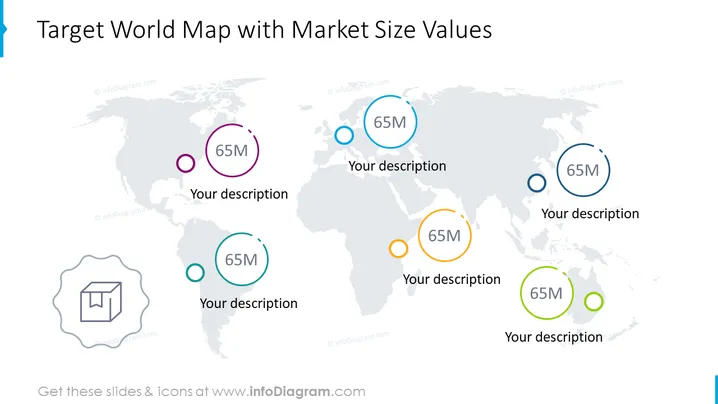
Target World Map with Market Size Values
Slide Content
The PowerPoint slide titled "Target World Map with Market Size Values" graphically represents various market sizes across a world map. Each market size is denoted by a circular icon with a value inside, for example, "65M" could suggest a market size of 65 million units or dollars. These values are color-coded and linked with a description area where additional details can be provided. This layout is indicative of the global distribution of market sizes and provides an interactive way to discuss each targeted area's potential or performance.
Graphical Look
- The slide features a muted world map as the background.
- Six circular icons, each with a ring in a distinct color (purple, blue, turquoise, green, orange, and dark blue), are scattered across the map to represent different geographical markets.
- Each icon contains a text placeholder with "65M," indicating the value of the market size that can be customized.
- Below each icon is another text placeholder with "Your description," where presenters can elaborate on the specific market represented by the icon.
- On the lower left side, there is a larger grey icon depicting a box with an arrow pointing upwards, possibly representing logistics or export.
- The icons have drop shadows, adding a subtle depth to the visual elements on the slide.
The overall look of the slide is clean and modern, with a professional blue color palette. The icons are simple yet effective in highlighting key data points on a global scale.
Use Cases
- Presentations to global stakeholders to illustrate market potential across different regions.
- Marketing strategy meetings where regional customer bases or revenue streams need to be highlighted.
- Financial or investment briefings to visually represent where market sizes are significant for strategic planning.
- Sales meetings to identify and discuss key geographic areas of interest based on market size values.
How to Edit
How to edit text & colors

How to expand / shorten diagram

How to Replace Icons in infoDiagram PPT


