

Your graphics add a nice touch to my presentations and I recently used them for one of my all-hands meetings. Your toolbox adds professionalism to my slides. Instead of using standard clipart.
Claude Jones, Director of Engineer, @Walmartlabs, USA

Your graphics add a nice touch to my presentations and I recently used them for one of my all-hands meetings. Your toolbox adds professionalism to my slides. Instead of using standard clipart.
Claude Jones, Director of Engineer, @Walmartlabs, USA
I needed a fresh look at some of my slides. I've tried to find a way to create a paintbrush effect, to underline, accentuate, add some color and the handwritten markers were just the things. Very easy to use, easy to size, change the color. It was an affordable, perfect solution and I'm happy to recommend it.
Anonymous, US
The crisp, clean look of the graphics, and the fact that it allowed me to easily edit and change the colors to match the template was my main reason for purchasing them.
Brandie Jenkins, E-learning Developer, USA
##Slide content:
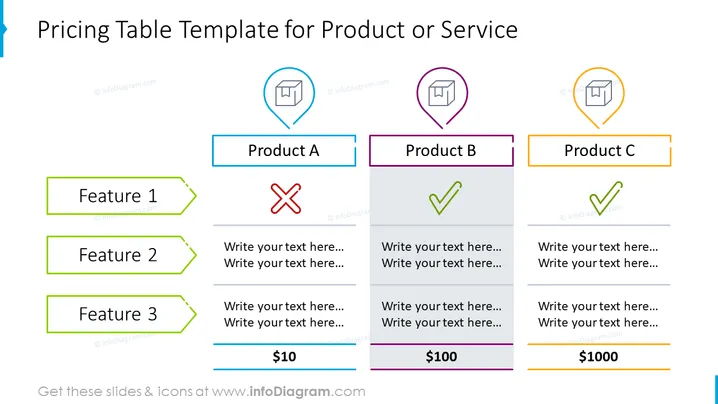
This pricing table template is a great way to explain briefly how your product or service works. In our example, we placed three products called A, B, and C. On the left-hand side, three features that one of those products may or may not contain. We left also a space for additional descriptions. You can use this presentation for both internal purposes (presenting to your team the pricing strategy) and external (pitching investors for sponsoring). All the designed graphics are editable, so you can adjust them to your needs, and also convert them to PDF, or download in Google Slides and/or Keynote. Click on the slide to see the full Startup Pitch PowerPoint Deck.
##Slide infographic description:
Arrow-Shaped Banner, Line Vector, Teardrop Vector, Cross Mark Icon, Check Mark Icon, Column Layout, 3D Box Icon



