
Reviews
Ihre Grafiken verleihen meinen Präsentationen eine nette Note, und ich habe sie kürzlich für eines meiner All-Hands-Meetings verwendet. Ihre Toolbox verleiht meinen Folien Professionalität, anstatt Standard-Clipart zu verwenden.
Ich brauchte einen neuen Blick auf einige meiner Folien. Ich habe versucht, einen Weg zu finden, einen Pinselschlag-Effekt zu erzielen, um zu unterstreichen, hervorzuheben, Farbe hinzuzufügen, und die handgeschriebenen Markierungen waren genau das Richtige. Sehr einfach zu bedienen, leicht in der Größe zu ändern, die Farbe zu ändern. Es war eine erschwingliche, perfekte Lösung und ich empfehle sie gerne weiter.
Die klare, saubere Optik der Grafiken und die Tatsache, dass ich die Farben leicht bearbeiten und an die Vorlage anpassen konnte, war mein Hauptgrund für den Kauf.
Description
Your sample text here
Slide Content
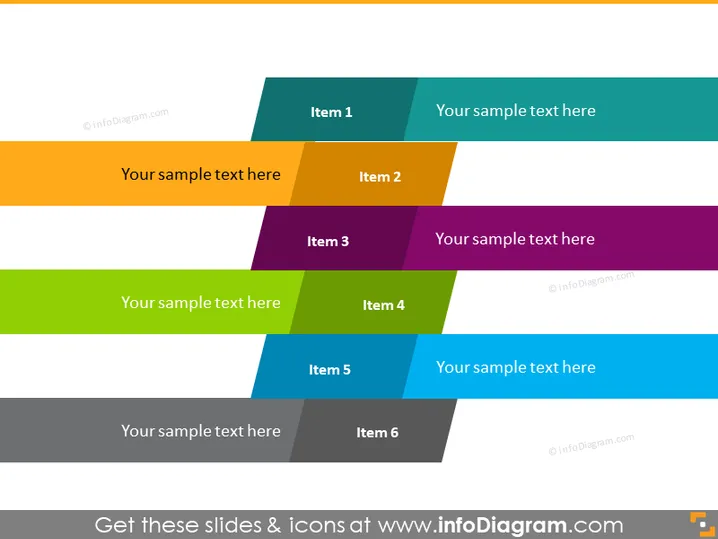
This PowerPoint slide presents a categorization model where six items are organized in a staggered, two-column layout. Each of the six items is represented by a colored rectangle with a unique color, suggesting separate categories or topics. Each colored rectangle contains a placeholder for a title, denoted by "Item 1" through "Item 6," and is paired with a complementary space for additional details or descriptions, marked "Your sample text here."
Graphical Look
- Two columns of colored rectangles in a staggered arrangement.
- Six distinct colors for the rectangles ranging from teal to purple in the first column and from orange to blue in the second column.
- Each rectangle is paired with a smaller, complementary-colored rectangle that serves as a space for text.
- The rectangles are angled slightly to the right, creating a dynamic composition.
- The slide background is plain white, which helps the colored elements to stand out.
- The text is in bold and capitalized to match the significance of the headings.
The slide uses bright, contrasting colors and clean geometric shapes to create a visually appealing layout. It is modern and professional, with an engaging balance between color and whitespace.
Use Cases
- To display different services offered by a company, with each service detailed next to its corresponding number.
- To outline various stages of a project or process, where each stage has an allocated description.
- For summarizing the key features or benefits of a product, with each feature getting its designated space.
- To compare and contrast two groups of three related concepts or ideas, facilitating an intuitive visual comparison.
How to Edit
How to edit text & colors

How to expand / shorten diagram

How to Replace Icons in infoDiagram PPT


