
Reviews
Your graphics add a nice touch to my presentations and I recently used them for one of my all-hands meetings. Your toolbox adds professionalism to my slides. Instead of using standard clipart.
I needed a fresh look at some of my slides. I've tried to find a way to create a paintbrush effect, to underline, accentuate, add some color and the handwritten markers were just the things. Very easy to use, easy to size, change the color. It was an affordable, perfect solution and I'm happy to recommend it.
The crisp, clean look of the graphics, and the fact that it allowed me to easily edit and change the colors to match the template was my main reason for purchasing them.
Description
Waste by composition
Slide Content
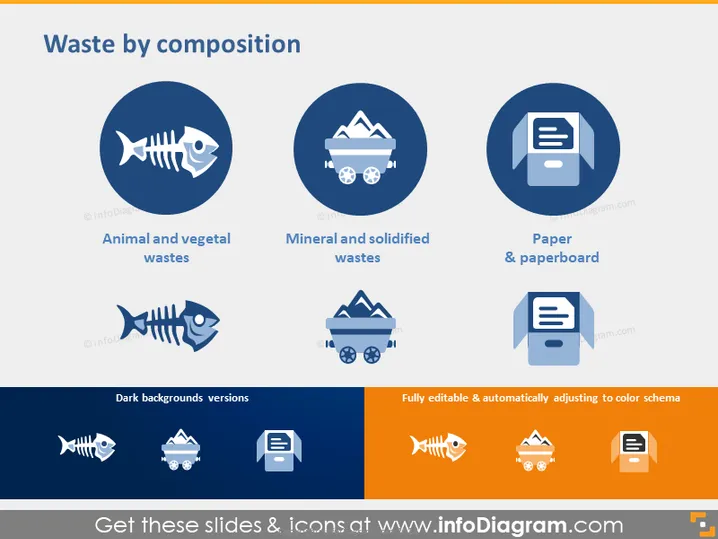
The slide identifies three categories of waste: Animal and vegetal wastes, Mineral and solidified wastes, and Paper & paperboard. Each category is represented with an icon: a fish skeleton symbolizing organic waste like food and garden debris, a trash bin with wheels symbolizing materials from construction and manufacturing, and a document symbol indicating waste from paper products.
Graphical Look
- A large, bold title "Waste by composition" is centered at the top of the slide in a serif font.
- There are three primary circle-shaped icons with a dark blue background, evenly distributed horizontally across the slide.
- Below each primary icon, there's its corresponding white icon version against a dark background, labeled "Dark backgrounds versions."
- The icons depict, from left to right: a fish skeleton for "Animal and vegetal wastes," a trash bin for "Mineral and solidified wastes," and a stack of papers for "Paper & paperboard."
- Each primary icon has a subtitle text describing the type of waste it represents.
- There are three smaller icons with variations in the background color, situated below the main row of icons, showing adaptability for different color schemes.
- The slide has a consistent color palette, using shades of blue and orange to create contrast and visual interest.
The slide has a professional and clean design with a clear visual hierarchy, allowing for easy comprehension of the content. The use of icons and color contrast aids in quick identification of the categories of waste.
Use Cases
- In an environmental presentation, focusing on waste management and categorization.
- During a corporate sustainability report to highlight the types of waste the company produces and how it is handled.
- As an educational tool in workshops or seminars to teach about different types of waste and their environmental impacts.
- In a policy-making discussion on waste management strategies, to stress the importance of sorting waste according to its composition.
How to Edit
How to edit text & colors

How to expand / shorten diagram

How to Replace Icons in infoDiagram PPT


