Outline Style Icons Set – General Business Symbols
Slide Content
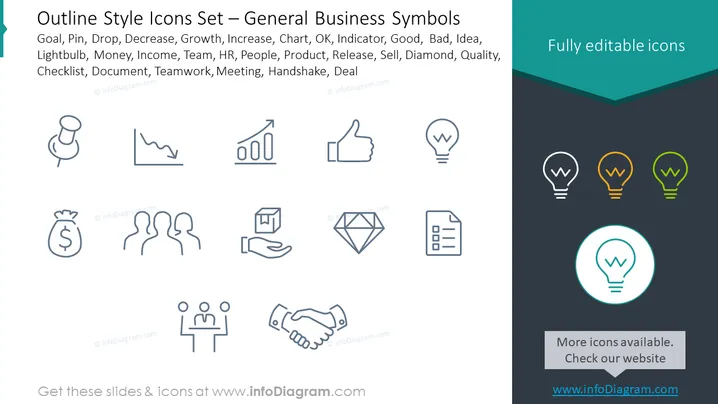
The PowerPoint slide titled "Outline Style Icons Set – General Business Symbols" displays various icons representing key business concepts. These symbols include a goal (depicting objectives or targets), pin (for marking important points or locations), drop (possibly representing savings or investments), decrease (denoting a downward trend), growth (an upward trend), increase, chart (conveying statistical data), OK (approval), indicator (measurement or status), good, bad, idea (creativity or a new concept), lightbulb (insight or innovation), money, income (financial earnings), team (group collaboration), HR (human resources), people, product (goods or services), release (launching or distributing), sell (trade or commerce), diamond (value or luxury), quality, checklist (tasks or to-do lists), document (paperwork or files), teamwork (cooperative effort), meeting, handshake (agreement or partnership), and deal (transaction).
Graphical Look
- The slide uses a minimalistic and clean design with a two-tone background – light grey on the main area and a darker shade forming a header at the top with the text "Fully editable icons" contrasting in white.
- Icons are arranged in a grid format with four rows, spaced evenly, each consisting of a set of icons that are uniformly styled with thin outline strokes.
- The icons are monochromatic, with the majority in grey, highlighting the versatility and neutrality of the symbols.
- To the far right, three lightbulb icons are presented in a vertical column, colored in green, yellow, and orange to demonstrate the color customization options.
- One lightbulb icon is encircled and enlarged at the bottom right corner, accentuating the editability feature of the icons provided.
- A text box at the bottom emphasizes that more icons are available and directs viewers to an external website for additional resources.
The overall look of the slide is professional and sleek, with a strong focus on clarity and usability. The visual hierarchy is well-maintained with the use of size and color to draw attention to specific elements, like the colored lightbulb icons.
Use Cases
- In a business presentation to visually communicate various aspects of a project, business strategy, or operational plan.
- Within marketing materials to represent services or features offered by a company to clients or stakeholders.
- For educational purposes to aid in teaching concepts related to business management, marketing, finance, or human resources.
- As part of a user interface design, where icons are needed to convey functionality or navigation within a business application or website.