

Your graphics add a nice touch to my presentations and I recently used them for one of my all-hands meetings. Your toolbox adds professionalism to my slides. Instead of using standard clipart.
Claude Jones, Director of Engineer, @Walmartlabs, USA

Your graphics add a nice touch to my presentations and I recently used them for one of my all-hands meetings. Your toolbox adds professionalism to my slides. Instead of using standard clipart.
Claude Jones, Director of Engineer, @Walmartlabs, USA
I needed a fresh look at some of my slides. I've tried to find a way to create a paintbrush effect, to underline, accentuate, add some color and the handwritten markers were just the things. Very easy to use, easy to size, change the color. It was an affordable, perfect solution and I'm happy to recommend it.
Anonymous, US
The crisp, clean look of the graphics, and the fact that it allowed me to easily edit and change the colors to match the template was my main reason for purchasing them.
Brandie Jenkins, E-learning Developer, USA
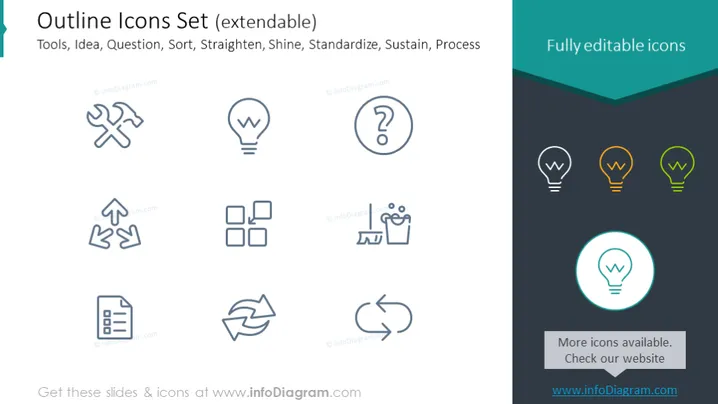
The PowerPoint slide titled "Outline Icons Set (extendable)" features a set of icons related to various concepts such as Tools, Idea, Question, Sort, Straighten, Shine, Standardize, and Process—each illustrated by a distinctive outline icon. The Tools icon appears as a wrench and screwdriver, representing the concept of work and repair. The Idea icon is depicted with a light bulb, symbolizing creativity or a new concept. The Question icon shows a question mark, indicating uncertainty or the need to inquire. Sort is represented by segregated blocks, implying organization or categorization. Straighten includes upward arrows, suggesting improvement or alignment. Shine has a shining effect, denoting excellence or polish. Standardize is depicted with repetitive elements, signifying uniformity or consistency, and Process is shown by circular arrows, representing cycles or workflows.
The slide strikes a balance between visual appeal and informational clarity with its minimalist icon designs and clear labeling. The distinct outline icons are easy to interpret, and the side panel adds a splash of color that draws the eye.
The PowerPoint slide titled "Outline Icons Set (extendable)" features a set of icons, each signifying a different business concept such as "Tools" which usually relates to work and repair, "Idea" symbolizing creativity or innovation, "Question" indicating inquiry or problem-solving, "Sort" involving categorization or organization, "Straighten" implying improvement or alignment, "Shine" meaning to polish or refine, "Standardize" for establishing consistency, and "Process" which typically denotes a workflow or methodology. The title additionally emphasizes that these icons are modifiable, hinting at customizable presentations.
The slide title is prominently positioned in a large, bold font at the top of the slide.
Eight outlined icons are displayed, aligned in rows and columns, and each icon corresponds to the terms mentioned in the title.
Below the title, in smaller font, the icon categories are listed: Tools, Idea, Question, Sort, Straighten, Shine, Standardize, and Process.
On the right side of the slide, there is a text box with the heading "Fully editable icons" above three variations of the light bulb icon: one in grey outline and two others filled in orange and green colors.
An additional icon inside a glowing teal circle is positioned at the bottom right corner, which stands out from the other icons.
The background of the slide is white with a teal accent at the top right corner and the bottom encapsulating the descriptive text.
The overall aesthetic of the slide is professional, sleek, and harmonious, with a color palette that emphasizes clarity and ease of understanding. The icons are simple yet descriptive, allowing for quick comprehension by the audience.



