
Reviews
Sus gráficos añaden un toque agradable a mis presentaciones y recientemente los usé para una de mis reuniones generales. Su conjunto de herramientas añade profesionalismo a mis diapositivas. En lugar de usar imágenes prediseñadas estándar.
Necesitaba un aspecto fresco para algunas de mis diapositivas. Había intentado encontrar una forma de crear un efecto de pincel, de subrayar, acentuar, añadir algo de color y los marcadores escritos a mano fueron justo lo que necesitaba. Muy fácil de usar, fácil de ajustar el tamaño, cambiar el color. Fue una solución asequible y perfecta, y estoy feliz de recomendarla.
El aspecto nítido y limpio de los gráficos, y el hecho de que me permitiera editar y cambiar fácilmente los colores para que coincidieran con la plantilla fue mi principal razón para comprarlos.
Description
Icons Set – Status Go / No Go Indicators
Slide Content
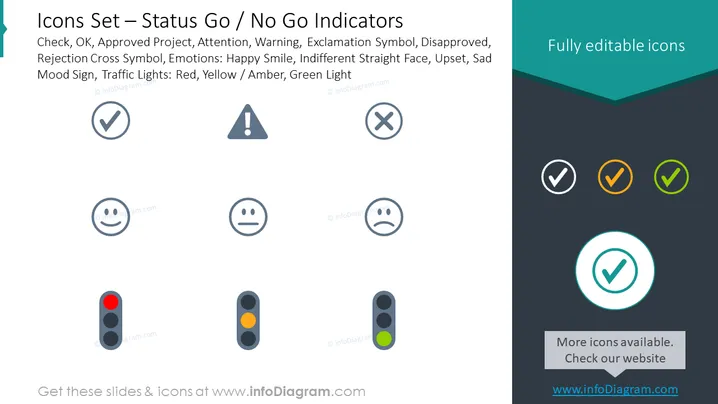
The PowerPoint slide titled "Icons Set – Status Go / No Go Indicators" shows a variety of symbols used to represent different status cues. These include: a checkmark for "OK" or "Approved Project"; an attention icon indicating a warning or alert; a crossed out circle symbolizing disapproval or rejection; facial expressions to convey emotions like happiness, indifference, or sadness; and traffic light colors for immediate status recognition—red for stop or issue, yellow/amber for caution or pending, and green for go or approval.
Graphical Look
- The slide has a two-toned background, light gray on the main section and dark teal on the right side.
- There are two main text areas: the slide title in the upper left and a section on the right for "Fully editable icons."
- Nine icons are arranged in a grid format in the center, with each row representing a category—approval, warning, emotions, and traffic lights.
- The approval icons include a checkmark in a circle, a warning triangle with an exclamation mark, and a rejection symbol of a circle with a line through it.
- The emotion icons display three facial expressions: happy, indifferent, and sad.
- The traffic light icons depict the lights in red, amber, and green.
- Three additional checkmarks in shades of gray, orange, and green are shown on the right dark teal background, contrasting with the fully editable icons text.
The slide design is clean and professional, using standard visual cues for status indications. The use of different colors helps distinguish between the various statuses that icons represent.
Use Cases
- To indicate project status in management meetings, such as identifying completed tasks (go) or issues needing attention (no go).
- For risk assessments presentations where symbols can highlight areas of concern or safe operations.
- In training materials to visually represent different responses or outcomes to scenarios.
- During team updates or reports where quick visual cues can facilitate understanding of the current state of work or performance.
How to Edit
How to edit text & colors

How to expand / shorten diagram

How to Replace Icons in infoDiagram PPT


