
Reviews
Your graphics add a nice touch to my presentations and I recently used them for one of my all-hands meetings. Your toolbox adds professionalism to my slides. Instead of using standard clipart.
I needed a fresh look at some of my slides. I've tried to find a way to create a paintbrush effect, to underline, accentuate, add some color and the handwritten markers were just the things. Very easy to use, easy to size, change the color. It was an affordable, perfect solution and I'm happy to recommend it.
The crisp, clean look of the graphics, and the fact that it allowed me to easily edit and change the colors to match the template was my main reason for purchasing them.
Description
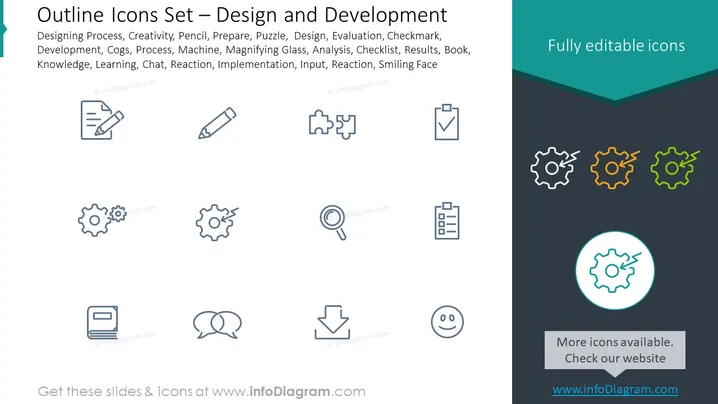
Outline Icons Set – Design and Development
Slide Content
The slide titled "Outline Icons Set – Design and Development" provides a collection of icons representing various aspects of the design and development process. These include creativity (depicted by a pencil), preparation (shown by a notepad and pen), puzzle pieces implying problem-solving, a checkmark for evaluation, alongside cogs representing processes or machinery, a magnifying glass for analysis, checklists signifying organization, a book indicating knowledge, two speech bubbles for communication or chat, a downward arrow symbolizing implementation or input, and a smiling face for a positive reaction or customer satisfaction.
Graphical Look
- The slide features a dark gray background with a darker strip across the top where the title and description are written in white and light blue.
- To the right, a turquoise panel contains the text "Fully editable icons" in white font.
- There are four rows of icons, each row containing three icons.
- The icons are designed with a minimalist, line-based style and are evenly spaced across the slide.
- Each icon is accompanied by a small, circular, teal-colored identification mark in the lower right corner.
- The design is clean, modern, and the icons are easily recognizable due to their universal symbolism.
The overall look of the slide is professional and modern, with clean lines and a simple color scheme that highlights the icons without creating visual clutter.
Use Cases
- Presenting the stages or components of a design and development project in a business meeting.
- Incorporating into instructional material to visually represent concepts in design and development training or education.
- Enhancing project documentation with visually appealing and easy-to-understand icons.
- Utilizing in pitch decks when showcasing a company's workflow or process capabilities to potential clients or investors.
How to Edit
How to edit text & colors

How to expand / shorten diagram

How to Replace Icons in infoDiagram PPT


