
Reviews
Ihre Grafiken verleihen meinen Präsentationen eine nette Note, und ich habe sie kürzlich für eines meiner All-Hands-Meetings verwendet. Ihre Toolbox verleiht meinen Folien Professionalität, anstatt Standard-Clipart zu verwenden.
Ich brauchte einen neuen Blick auf einige meiner Folien. Ich habe versucht, einen Weg zu finden, einen Pinselschlag-Effekt zu erzielen, um zu unterstreichen, hervorzuheben, Farbe hinzuzufügen, und die handgeschriebenen Markierungen waren genau das Richtige. Sehr einfach zu bedienen, leicht in der Größe zu ändern, die Farbe zu ändern. Es war eine erschwingliche, perfekte Lösung und ich empfehle sie gerne weiter.
Die klare, saubere Optik der Grafiken und die Tatsache, dass ich die Farben leicht bearbeiten und an die Vorlage anpassen konnte, war mein Hauptgrund für den Kauf.
Description
Outline Icons Set – People
Slide Content
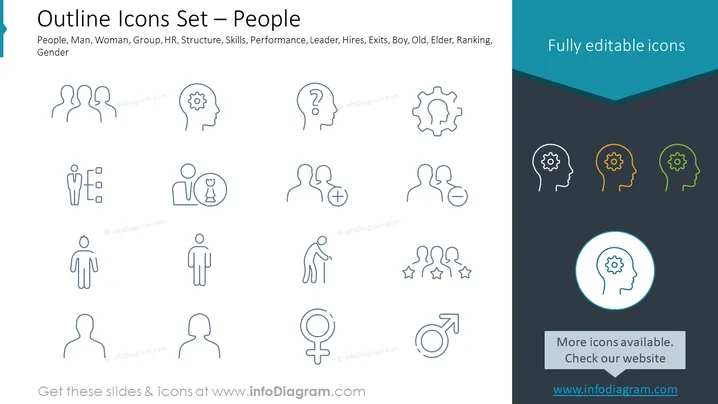
The PowerPoint slide is titled "Outline Icons Set – People" and features a collection of 15 icons related to human resources and social concepts. There are icons representing a diverse range of categories such as gender symbols, group dynamics, and professional roles. For instance, the 'Man' and ‘Woman’ icons signify gender differences, the 'Group’ icon denotes teamwork or community, the 'HR' symbol is for human resources, 'Structure' implies organizational layout, 'Skills' for expertise, 'Performance' for evaluation, 'Leader' represents leadership, 'Hires' for recruitment, 'Exits' for departures, 'Boy' and 'Old' for age demographics, 'Elder' for senior individuals, and 'Ranking' for performance or status levels.
Graphical Look
- The title of the slide is prominently displayed in large, dark text against a light background.
- Below the title, there are three lines of icons organized in a grid, with five icons per line.
- Each icon is outlined in dark color, and design is minimalistic and modern.
- Icons vary from representations of individuals to abstract symbols for various concepts.
- The slide has a dark blue banner at the top with text "Fully editable icons" in a lighter shade.
- The overall color scheme is muted, with white, dark blue, and grey hues.
- The bottom right corner features a highlighted circle around one of the icons, emphasizing the editable nature of the icons.
The slide has a clean, professional look, with a flat design and a cohesive color palette. It's well-organized with a focus on simplicity and easy readability of the icons.
Use Cases
- Demonstrating organizational roles and relationships in a corporate HR presentation.
- Using as visual aids to enhance topics such as team composition or staff structure during a company meeting.
- Incorporating into infographics to display demographics or social groups in marketing materials.
- Deploying in educational settings to visually convey concepts around gender, age groups, or social dynamics.
How to Edit
How to edit text & colors

How to expand / shorten diagram

How to Replace Icons in infoDiagram PPT


