
Reviews
Sus gráficos añaden un toque agradable a mis presentaciones y recientemente los usé para una de mis reuniones generales. Su conjunto de herramientas añade profesionalismo a mis diapositivas. En lugar de usar imágenes prediseñadas estándar.
Necesitaba un aspecto fresco para algunas de mis diapositivas. Había intentado encontrar una forma de crear un efecto de pincel, de subrayar, acentuar, añadir algo de color y los marcadores escritos a mano fueron justo lo que necesitaba. Muy fácil de usar, fácil de ajustar el tamaño, cambiar el color. Fue una solución asequible y perfecta, y estoy feliz de recomendarla.
El aspecto nítido y limpio de los gráficos, y el hecho de que me permitiera editar y cambiar fácilmente los colores para que coincidieran con la plantilla fue mi principal razón para comprarlos.
Description
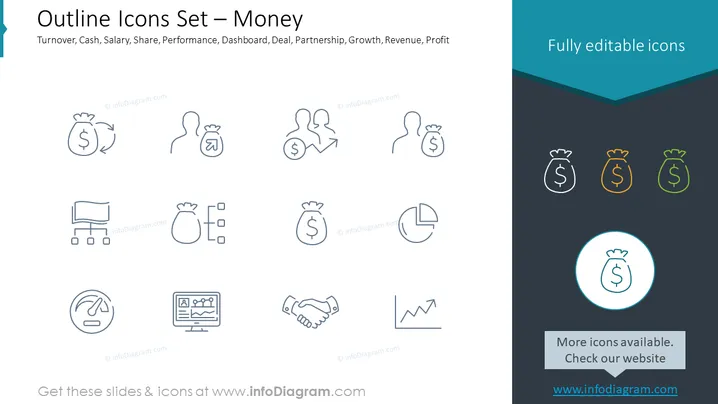
Outline Icons Set – Money
Slide Content
The slide presents an array of outline icons related to financial themes, summarized by the title "Outline Icons Set – Money." These icons include a bag of money with an arrow indicating circulation, representing turnover; two bags of money with a percentage sign between them, symbolizing interest or profit share; and a figure holding a money bag, which could be associated with salary or personal income. Additionally, this set features depersonalized icons for share (figures with a dollar sign), performance (a speedometer), dashboard (an analytics dashboard), deal (handshake), partnership (two figures with a dollar sign), growth (a graph trending upwards), revenue (a bag of money with a bar graph), and profit (a pie chart with a money bag).
Graphical Look
- The slide background is a flat, white color, providing a neutral canvas for the icons.
- Icons are evenly distributed across the slide in a three-row grid format.
- Each icon is crafted with a thin line style and employs minimalistic design, emphasizing simplicity and clarity.
- The color scheme for the icons is monochromatic, using shades of blue, grey, and teal for visual distinction.
- The text on the slide is presented in a sans-serif font, contributing to a modern and clean appearance.
- In the upper right corner, there's a dark blue, angular banner with the phrase "Fully editable icons" in white text.
- One icon in the lower right is highlighted in a circle with a contrasting teal stroke, drawing focus to it and suggesting interactivity or selection.
- Lastly, there's a call to action box with a shadow effect positioned at the bottom right, inviting users to visit a website for more icons.
The overall look of the slide is professional and modern, with a focus on clarity and ease of understanding. The icons are designed to be easily interpreted at a glance, making the slide visually appealing and functional.
Use Cases
-
Use Cases
-
For illustrating various financial concepts in corporate presentations, making abstract ideas more tangible through visual representation.
-
As part of a pitch deck to potential investors, using icons to highlight key financial metrics or business model components.
-
In an educational setting, such as a business or economics class, where icons can be used to support teaching various financial topics.
-
During internal company meetings, where financial performance and strategies are discussed, to add visually engaging and understandable elements to the presentation.
How to Edit
How to edit text & colors

How to expand / shorten diagram

How to Replace Icons in infoDiagram PPT


