
Reviews
Your graphics add a nice touch to my presentations and I recently used them for one of my all-hands meetings. Your toolbox adds professionalism to my slides. Instead of using standard clipart.
I needed a fresh look at some of my slides. I've tried to find a way to create a paintbrush effect, to underline, accentuate, add some color and the handwritten markers were just the things. Very easy to use, easy to size, change the color. It was an affordable, perfect solution and I'm happy to recommend it.
The crisp, clean look of the graphics, and the fact that it allowed me to easily edit and change the colors to match the template was my main reason for purchasing them.
Description
Outline Icons Set — General Business Metaphors
Slide Content
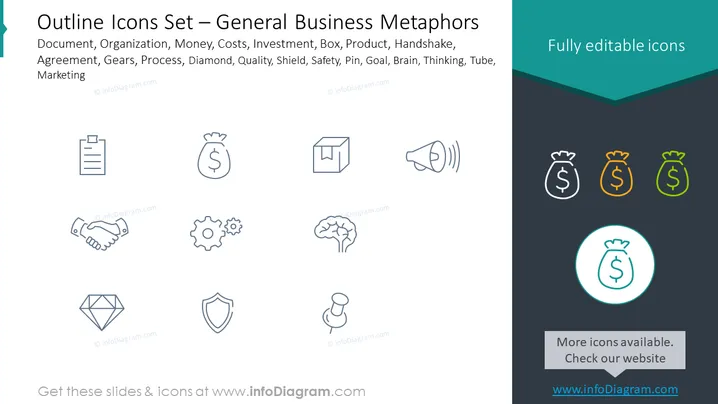
The PowerPoint slide presents a collection of outline icons that stand for various business metaphors, each annotated with its respective concept such as Document, Organization, Money, and Investment, suggesting themes like administrative work, corporate structure, financial transactions, and funding. Further elements like Box (suggesting packaging or product), Product (representing goods or services), Handshake (symbolizing agreement or partnership), and Brain (indicating thought processes or intelligence) illustrate various aspects of enterprise operations. Additional metaphors include Gears (for processes or machinery), Diamond (suggesting value or quality), Shield (for protection or security), Safety (implying risk management or precautions), Pin (representing location or focus), Goal (indicative of objectives or targets), and Tube (possibly a metaphor for communication or flow of information).
Graphical Look
- The slide features a dark grey background with a teal-colored bar at the top and a slightly darker teal header.
- A series of outline icons in light grey are symmetrically distributed across the slide in three rows; certain icons are highlighted with color at the right side.
- Each icon corresponds to a business concept, named by text above the icons.
- On the top right corner, "Fully editable icons" is highlighted in white against the teal header.
- To the right, there are three money bag icons aligned vertically, with each subsequent icon larger and a different color: grey, orange, and green.
- At the bottom center, a circular icon with a money bag is enlarged and highlighted with a turquoise circle and shadow.
- Under the turquoise circle, a grey rectangle banner states "More icons available. Check our website" with a website address underneath in white.
The slide uses minimalist design with simple line icons and a restrained color palette. The elements are neatly arranged and present a clean, professional appearance.
Use Cases
- A presentation to discuss various elements of business strategy and the metaphors that represent them.
- For developing marketing materials where visual metaphors can quickly convey key business concepts to an audience.
- During corporate training to help employees understand different facets of the company's operations through visual aids.
- In sales pitches to visually summarize services, strengths, or value propositions of a product or company.
How to Edit
How to edit text & colors

How to expand / shorten diagram

How to Replace Icons in infoDiagram PPT


