
Reviews
Your graphics add a nice touch to my presentations and I recently used them for one of my all-hands meetings. Your toolbox adds professionalism to my slides. Instead of using standard clipart.
I needed a fresh look at some of my slides. I've tried to find a way to create a paintbrush effect, to underline, accentuate, add some color and the handwritten markers were just the things. Very easy to use, easy to size, change the color. It was an affordable, perfect solution and I'm happy to recommend it.
The crisp, clean look of the graphics, and the fact that it allowed me to easily edit and change the colors to match the template was my main reason for purchasing them.
Description
Outline Icons Set — Idea Creation
Slide Content
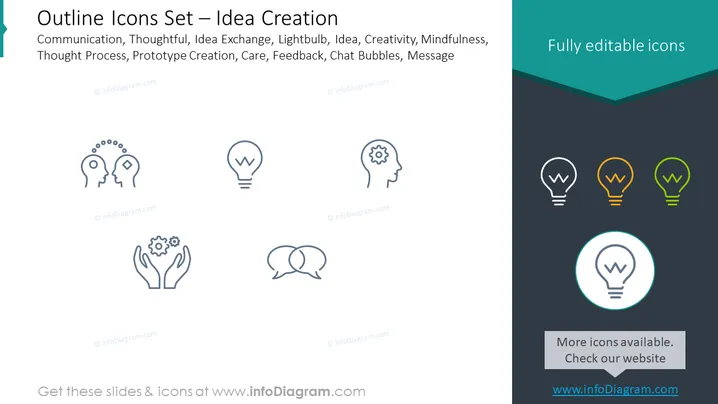
The PowerPoint slide displays a collection of icons related to the theme of Idea Creation. The slide title suggests that these icons are part of an Outline Icons Set, which is likely designed to encapsulate various aspects of the creative process, such as Communication (exchanging information), Thoughtful (considerate or reflective thinking), Idea Exchange (sharing and evolving ideas), Lightbulb (symbolizing new ideas), Creativity, Mindfulness (focusing one's awareness), Thought Process (the progression of thoughts), Prototype Creation (developing initial models), Care (attention to detail or concern), Feedback (providing reactive information), Chat Bubbles (symbolizing communication), and Message (conveying information).
Graphical Look
- The slide background is divided diagonally, with the larger area in white and a smaller area in dark teal at the bottom right corner.
- The title of the slide is in large, bold, black text, aligned to the left.
- A series of grey illustrated icons are arranged in two rows, each icon aligned centrally below a corresponding descriptive term from the list in the title.
- Each icon symbolizes a different concept related to the theme of the slide.
- On the right side, there are three versions of a lightbulb icon, colored grey, orange, and green respectively, and one additional lightbulb icon is highlighted with a blue circle.
- A text block at the bottom right corner reads "More icons available. Check our website" with a web address, set against the dark teal background.
The slide's overall look is clean and modern, using a minimalistic design with simple outline icons to depict complex ideas succinctly. The contrast between the white and dark teal sections along with the highlights on selected icons draws attention effectively.
Use Cases
- Illustrating the various stages and elements within the brainstorming or ideation phase of a project.
- Enhancing the visual appeal of slides discussing innovation, creative problem-solving, or design thinking workshops.
- Supporting educational materials or training presentations on creative methodologies and communication skills.
- Being included in pitch decks or proposals to visually represent a company's approach to fostering creativity and idea generation.
How to Edit
How to edit text & colors

How to expand / shorten diagram

How to Replace Icons in infoDiagram PPT


