
Reviews
Sus gráficos añaden un toque agradable a mis presentaciones y recientemente los usé para una de mis reuniones generales. Su conjunto de herramientas añade profesionalismo a mis diapositivas. En lugar de usar imágenes prediseñadas estándar.
Necesitaba un aspecto fresco para algunas de mis diapositivas. Había intentado encontrar una forma de crear un efecto de pincel, de subrayar, acentuar, añadir algo de color y los marcadores escritos a mano fueron justo lo que necesitaba. Muy fácil de usar, fácil de ajustar el tamaño, cambiar el color. Fue una solución asequible y perfecta, y estoy feliz de recomendarla.
El aspecto nítido y limpio de los gráficos, y el hecho de que me permitiera editar y cambiar fácilmente los colores para que coincidieran con la plantilla fue mi principal razón para comprarlos.
Description
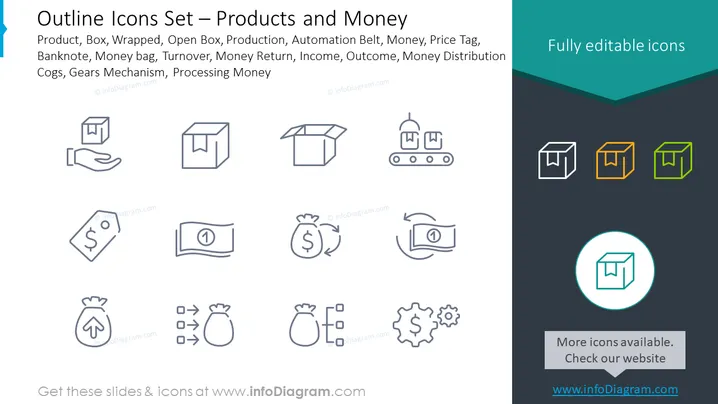
Outline Icons Set — Products and Money
Slide Content
The PowerPoint slide titled "Outline Icons Set — Products and Money" showcases icons related to business and financial concepts. The terms include 'Product,' indicating tangible items or services offered; 'Box,' 'Wrapped,' and 'Open Box' represent stages of product packaging; 'Production' implies manufacturing processes; 'Automation Belt' suggests mechanized assembly; 'Money,' 'Banknote,' 'Money Bag' symbolize various forms of currency; 'Price Tag' denotes pricing information; 'Turnover' implies business revenue; 'Money Return,' 'Income,' and 'Outcome' relate to financial transactions; 'Money Distribution' signifies allocation of funds; 'Cogs,' and 'Gears Mechanism' evoke industrial processes, and 'Processing Money' refers to financial management or transactions.
Graphical Look
- A teal banner at the top with the slide title in white text.
- A series of twelve stylized line icons arranged in four rows, evenly distributed within the slide.
- Each icon is accompanied by a label explaining its representation, such as 'Product' or 'Money Bag'.
- The icons are uniformly drawn with a thin line width, conveying a minimalist and modern aesthetic.
- The icons exhibit a variety of basic shapes, such as squares, rectangles, circles, and abstract representations.
- Color usage is limited to grayscale for most icons, with three icons subtly colored in teal, orange, and green to differentiate them.
- The slide has a clean, uncluttered background, primarily white, with a dark teal footer at the bottom.
- A distinct circular icon is highlighted with a teal circle and placed centrally at the bottom.
- Presence of a rectangular box with text indicating more icons available on a website, located beneath the highlighted circular icon.
The slide has a sleek and professional look with a clear organizational structure meant to focus on the icons. Its minimalist design ensures that the icons are easily distinguishable and recognizable.
Use Cases - This slide can be used in business presentations to visually represent different aspects of a company's products, packaging, and financial operations.
- It can be included in financial reports to provide visual cues for sections like revenue, expenses, and investment strategies.
- The icons would be appropriate for process documentation to symbolically depict different stages of product development or manufacturing.
- Marketing teams could utilize the slide to explain product lifecycles, pricing strategies, or sales funnels in a clear and engaging manner.
How to Edit
How to edit text & colors

How to expand / shorten diagram

How to Replace Icons in infoDiagram PPT


