
Reviews
Sus gráficos añaden un toque agradable a mis presentaciones y recientemente los usé para una de mis reuniones generales. Su conjunto de herramientas añade profesionalismo a mis diapositivas. En lugar de usar imágenes prediseñadas estándar.
Necesitaba un aspecto fresco para algunas de mis diapositivas. Había intentado encontrar una forma de crear un efecto de pincel, de subrayar, acentuar, añadir algo de color y los marcadores escritos a mano fueron justo lo que necesitaba. Muy fácil de usar, fácil de ajustar el tamaño, cambiar el color. Fue una solución asequible y perfecta, y estoy feliz de recomendarla.
El aspecto nítido y limpio de los gráficos, y el hecho de que me permitiera editar y cambiar fácilmente los colores para que coincidieran con la plantilla fue mi principal razón para comprarlos.
Description
Outline Brain Diagram with 5 Areas
Slide Content
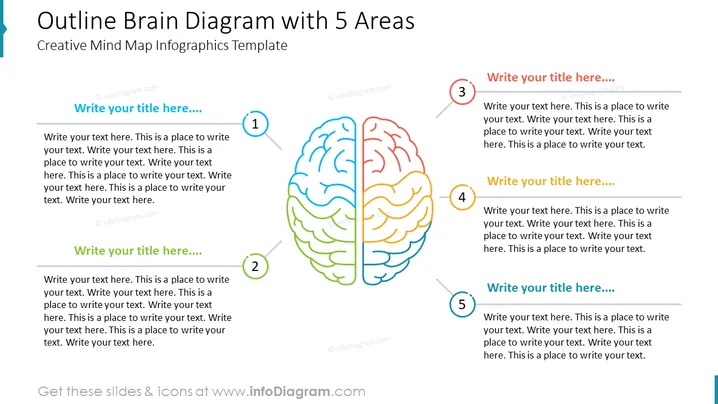
The slide titled "Outline Brain Diagram with 5 Areas" features a creative mind map with a central illustration of a human brain, divided into 5 colored sections, each linked to numbered areas for adding titles and descriptive text. The layout allows for segmentation of topics or ideas associated with different aspects of a central theme. It's suitable for brainstorming, idea categorization, or demonstrating cognitive processes.
Graphical Look
- The title is bold and located at the top in a large font.
- A stylized, split human brain illustration occupies the center, serving as the main graphic.
- Each hemisphere is divided into 5 distinct colored areas (blue, red, green, orange, yellow), with subtle gradient shading.
- Circles numbered 1 to 5 are placed around the brain, corresponding to each colored area.
- Beside each number, there's a placeholder for a title and multiple lines of text for detailed descriptions.
- The numbers are encircled with colors matching their respective brain areas.
The slide design is modern and colorful with a clean, professional look, accentuated by the central, colorful brain illustration and numbered detail boxes. The simple icons and placeholders make it clear and easy to follow.
Use Cases
- Demonstrating various aspects of a project or concept, linking each to a different part of the brain.
- Brainstorming sessions where different ideas can be visually organized by relevance or theme.
- Educational presentations to explain different functions or regions of the human brain.
- Business strategy meetings to map out different areas of focus or departmental objectives related to an overarching goal.
How to Edit
How to edit text & colors

How to expand / shorten diagram

How to Replace Icons in infoDiagram PPT


