
Reviews
Deine Folien sind meine 'geheime Zutat', wenn es darum geht, meine Ideen Kunden zu visualisieren. Ich spare so viel Zeit.
Ihre Folien führen oft zu guten Kommentaren und Ideen meines Teams, die die endgültigen Folien verbessern.
Description
Waste by Composition
Slide Content
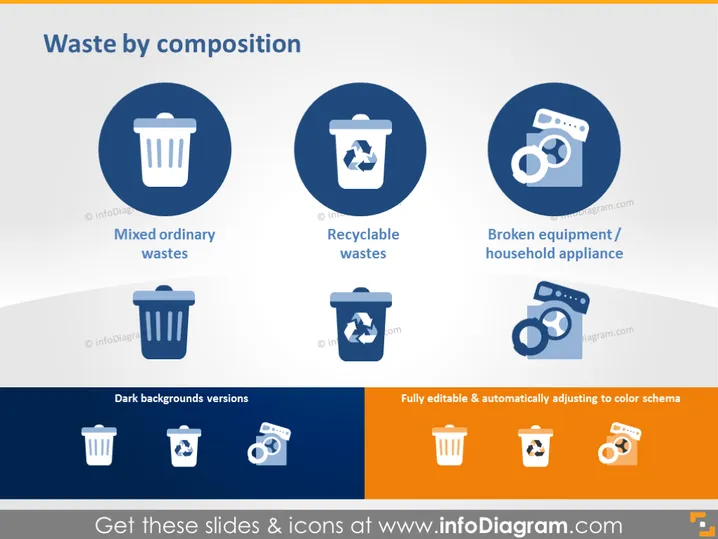
The slide titled "Waste by Composition" classifies waste into three categories: "Mixed Ordinary Wastes," "Recyclable Wastes," and "Broken Equipment / Household Appliance." "Mixed Ordinary Wastes" refers to non-separated domestic trash. "Recyclable Wastes" pertains to items that can be processed and used again, such as paper, glass, and certain plastics. "Broken Equipment / Household Appliance" highlights waste consisting of damaged or obsolete electrical items.
Graphical Look
- Three large circular icons, each with a white outline, set against a dark blue background.
- Each icon is accompanied by a label: "Mixed Ordinary Wastes" features a trash bin, "Recyclable Wastes" showcases a recycling bin with a recyclable symbol, and "Broken Equipment/Household Appliance" includes a picture of electronic devices, like a camera and film.
- Below the main icons, there are three smaller versions of the same icons with white outlines on dark blue squares, labeled "Dark Backgrounds Versions."
- To the bottom right, there are three orange icons with white outlines and a label that says "Fully Editable & Automatically Adjusting to Color Schema."
The slide has a clean and modern look with a gradient grayish-blue background. The use of consistent icon styles and a color scheme provides a visually coherent presentation of information.
Use Cases
- To educate about the different types of waste management during an environmental seminar.
- In corporate sustainability reports to visualize waste separation efforts.
- During a policy-making or city planning meeting to discuss waste management strategies.
- As part of a school or community program presentation aimed at promoting recycling and responsible waste disposal.
How to Edit
How to edit text & colors

How to expand / shorten diagram

How to Replace Icons in infoDiagram PPT


