
Reviews
Ihre Grafiken verleihen meinen Präsentationen eine nette Note, und ich habe sie kürzlich für eines meiner All-Hands-Meetings verwendet. Ihre Toolbox verleiht meinen Folien Professionalität, anstatt Standard-Clipart zu verwenden.
Ich brauchte einen neuen Blick auf einige meiner Folien. Ich habe versucht, einen Weg zu finden, einen Pinselschlag-Effekt zu erzielen, um zu unterstreichen, hervorzuheben, Farbe hinzuzufügen, und die handgeschriebenen Markierungen waren genau das Richtige. Sehr einfach zu bedienen, leicht in der Größe zu ändern, die Farbe zu ändern. Es war eine erschwingliche, perfekte Lösung und ich empfehle sie gerne weiter.
Die klare, saubere Optik der Grafiken und die Tatsache, dass ich die Farben leicht bearbeiten und an die Vorlage anpassen konnte, war mein Hauptgrund für den Kauf.
Description
Your Title
Slide Content
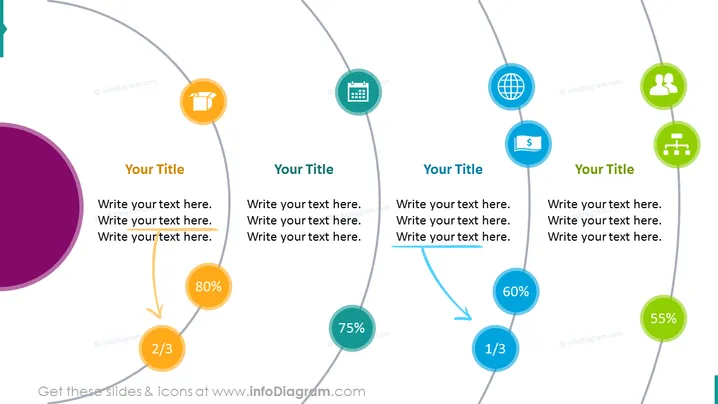
The slide appears to convey the progression or status of multiple tasks or objectives, as indicated by the percentage figures. Each "Your Title" section presumably represents a different category or phase of a project, with space provided underneath to write a descriptive text. The percentage figures (80%, 75%, 60%, and 55%) might represent completion levels, with accompanying icons suggesting a connection to specific tasks like chart analysis, calendaring, global operations, financial performance, and logistics.
Graphical Look
- A large, purple, semi-transparent circle on the left side of the slide.
- Four round icons with varied colors (orange, teal, blue, green) each within a circle connected by curved grey lines that stem from the purple circle, indicating a flow or relationship.
- Each icon has a smaller circle below it with a percentage inside, highlighted in the same color as the icon above it, suggesting a quantitative measure.
- Beneath each percentage, a fraction is depicted in a contrasting color (orange with 2/3, teal with 75%, blue with 1/3, and green with 55%), possibly indicating a secondary measure or ratio.
- Placeholder text "Your Title" above placeholders for descriptive text, suggesting these are points where specific information related to each icon's subject is to be inserted.
- Each icon incorporates a distinct symbol: a bar chart, a calendar, the globe, a currency symbol, and a vehicle, indicating different aspects or components of a broader topic or business process.
The slide has a clean, modern aesthetic with a harmonious color palette that uses contrasting shades to delineate different elements. The graphical elements suggest a cohesive process flow or progression, with visual cues to highlight measurements and specific process steps or aspects.
Use Cases
- Presenting various stages of a project with corresponding completion rates and notes.
- Showing the progress of different departments or sectors within a company during a business review meeting.
- Illustrating key metrics and KPIs for each business area in a strategic planning session.
- Using in a sales presentation to highlight different product performance or market penetration statistics.
How to Edit
How to edit text & colors

How to expand / shorten diagram

How to Replace Icons in infoDiagram PPT


