
Reviews
Sus gráficos añaden un toque agradable a mis presentaciones y recientemente los usé para una de mis reuniones generales. Su conjunto de herramientas añade profesionalismo a mis diapositivas. En lugar de usar imágenes prediseñadas estándar.
Necesitaba un aspecto fresco para algunas de mis diapositivas. Había intentado encontrar una forma de crear un efecto de pincel, de subrayar, acentuar, añadir algo de color y los marcadores escritos a mano fueron justo lo que necesitaba. Muy fácil de usar, fácil de ajustar el tamaño, cambiar el color. Fue una solución asequible y perfecta, y estoy feliz de recomendarla.
El aspecto nítido y limpio de los gráficos, y el hecho de que me permitiera editar y cambiar fácilmente los colores para que coincidieran con la plantilla fue mi principal razón para comprarlos.
Description
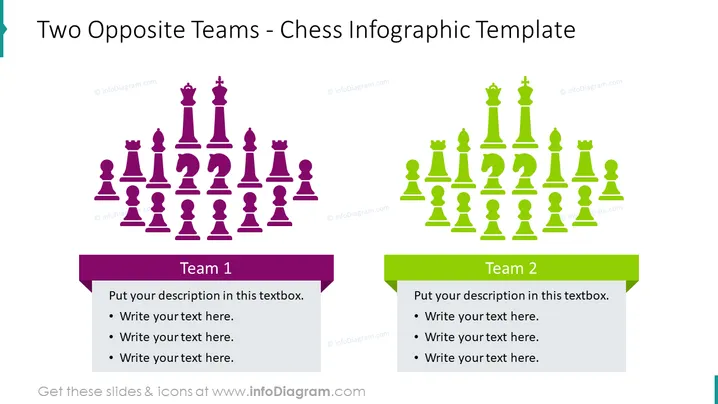
Two Opposite Teams - Chess Infographic Template
Slide Content
This slide contains a title followed by two sections representing opposing teams using chess pieces as metaphors for team members. The left side, labeled "Team 1", is associated with purple chess pieces and includes a text box for describing the team. The right side, labeled "Team 2", features green chess pieces and a corresponding text box. Each team's section signifies contrast and competition, reflecting strategic play and planning associated with chess.
Graphical Look
- The slide has a clean, split layout with a left side designated for "Team 1" in purple and a right side for "Team 2" in green.
- Purple and green chess piece icons line up horizontally across from each other in the center of the slide, indicating a face-off or match between the two teams.
- Two prominent text boxes sit at the bottom of the slide, one for each team, with placeholder text signaled by bullet points ready to be replaced with relevant details.
- The slide's color scheme helps distinguish between the two sides while keeping the aesthetics unified and easily comprehendible.
- Simple, bold, and readable fonts are used for the titles of the teams and the main heading, ensuring clear communications.
The overall look of the slide is organized and visually balanced, using the contrast between the two colors to highlight the opposition between the teams. Icons and text boxes are strategically placed for effective visual communication.
Use Cases
- To compare and contrast two different strategies or business teams within a presentation.
- To showcase the pros and cons of two different approaches or solutions in a project proposal.
- To visualize opposing viewpoints or competitive positions in a market analysis.
- To set up a metaphorical discussion about company divisions or products competing for resources or attention.
How to Edit
How to edit text & colors

How to expand / shorten diagram

How to Replace Icons in infoDiagram PPT


