
Reviews
Sus gráficos añaden un toque agradable a mis presentaciones y recientemente los usé para una de mis reuniones generales. Su conjunto de herramientas añade profesionalismo a mis diapositivas. En lugar de usar imágenes prediseñadas estándar.
Necesitaba un aspecto fresco para algunas de mis diapositivas. Había intentado encontrar una forma de crear un efecto de pincel, de subrayar, acentuar, añadir algo de color y los marcadores escritos a mano fueron justo lo que necesitaba. Muy fácil de usar, fácil de ajustar el tamaño, cambiar el color. Fue una solución asequible y perfecta, y estoy feliz de recomendarla.
El aspecto nítido y limpio de los gráficos, y el hecho de que me permitiera editar y cambiar fácilmente los colores para que coincidieran con la plantilla fue mi principal razón para comprarlos.
Description
Slide Content
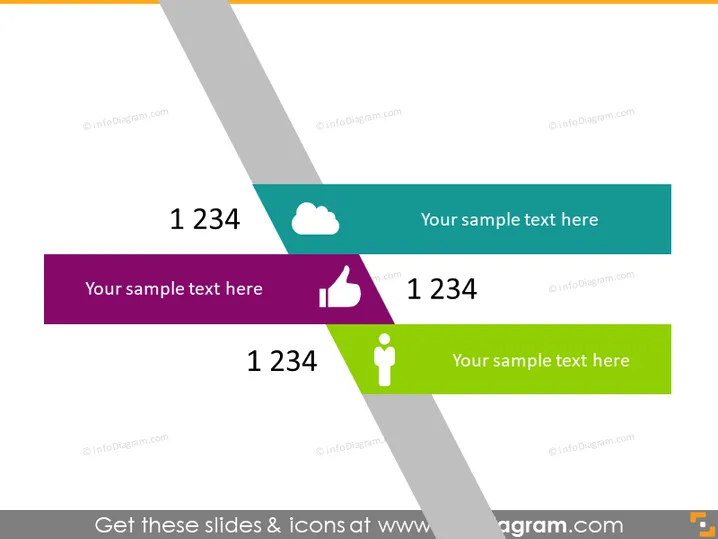
The PowerPoint slide seems to be a template for displaying key metrics or ideas with accompanying symbols and text. There are four colorful banners, each containing a large number "1234," which appears to be a placeholder for actual data or points. Next to the figures, there's space for additional explanatory text or a title for the metric. Icons are placed beside the sample text, each representing different themes—a cloud, a thumbs up, and a person symbol—hinting at metrics related to technology, approval, and individual performance or demographics.
Graphical Look
- The slide has a clear, modern design with a white background overlain by diagonal, translucent gray stripes creating a subtle texture.
- Four banners of different colors (teal, purple, dark teal, and green) overlap these stripes.
- Each banner features a large, bold white number "1234" positioned on the left, suggesting a place for a key figure or statistic.
- To the right of the number in each banner is a placeholder text "Your sample text here," indicating where additional information or a title could be placed.
- Each banner also includes a distinctive icon: a cloud, a thumbs up, and a person silhouette, corresponding to different conceptual categories.
- The banners are arranged in a staggered, overlapping fashion, which adds depth and emphasizes each individual element while still creating a cohesive design.
The overall look of the slide is sleek and professional, with a dynamic use of color and shapes that draw attention to the key elements. The design allows for easy customization while clearly conveying essential information at a glance.
Use Cases
- Displaying key performance indicators (KPIs) during a business performance review to quickly show important metrics.
- Summarizing customer feedback stats, with each banner representing different aspects like satisfaction rates or net promoter scores.
- Presenting user engagement or demographic statistics in a social media or marketing report.
- Highlighting essential numerical data in a financial presentation, such as quarterly sales figures or growth percentages.
How to Edit
How to edit text & colors

How to expand / shorten diagram

How to Replace Icons in infoDiagram PPT


