

Your graphics add a nice touch to my presentations and I recently used them for one of my all-hands meetings. Your toolbox adds professionalism to my slides. Instead of using standard clipart.
Claude Jones, Director of Engineer, @Walmartlabs, USA

Your graphics add a nice touch to my presentations and I recently used them for one of my all-hands meetings. Your toolbox adds professionalism to my slides. Instead of using standard clipart.
Claude Jones, Director of Engineer, @Walmartlabs, USA
I needed a fresh look at some of my slides. I've tried to find a way to create a paintbrush effect, to underline, accentuate, add some color and the handwritten markers were just the things. Very easy to use, easy to size, change the color. It was an affordable, perfect solution and I'm happy to recommend it.
Anonymous, US
The crisp, clean look of the graphics, and the fact that it allowed me to easily edit and change the colors to match the template was my main reason for purchasing them.
Brandie Jenkins, E-learning Developer, USA
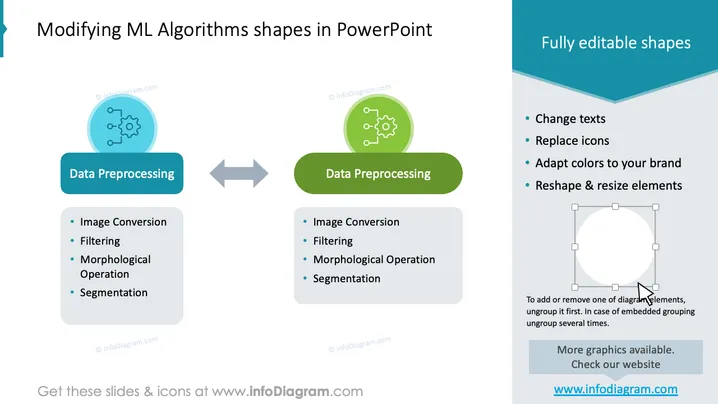
The slide appears to be focused on demonstrating the process of modifying Machine Learning (ML) algorithm shapes within a PowerPoint presentation. The title indicates an educational or instructional intent. Two iterations of "Data Preprocessing" are shown as examples of editable shapes, each listing four specific steps: Image Conversion (turning images into a format usable for processing), Filtering (removing unnecessary or disruptive information), Morphological Operation (image processing technique for shape analysis), and Segmentation (dividing an image into parts for easier analysis). Additional options mentioned include changing texts, replacing icons, adapting colors to your brand, and reshaping & resizing elements.
The slide has a professional and educational look, with a balanced use of color and space that simplifies complex information. The visual elements are used to effectively communicate the adaptability of presentation shapes.



