
Reviews
Vos graphiques ajoutent une belle touche à mes présentations et je les ai récemment utilisés pour l'une de mes réunions générales. Votre boîte à outils ajoute du professionnalisme à mes diapositives. Au lieu d'utiliser des cliparts standards.
J'avais besoin d'un nouveau regard sur certaines de mes diapositives. J'ai essayé de trouver un moyen de créer un effet de pinceau, de souligner, d'accentuer, d'ajouter de la couleur et les marqueurs manuscrits étaient exactement ce qu'il fallait. Très facile à utiliser, facile à ajuster la taille, à changer la couleur. C'était une solution abordable et parfaite et je suis heureux de la recommander.
L'aspect net et épuré des graphiques, et le fait qu'il m'ait permis d'éditer et de changer facilement les couleurs pour les adapter au modèle, ont été les principales raisons de mon achat.
Description
Goods
Slide Content
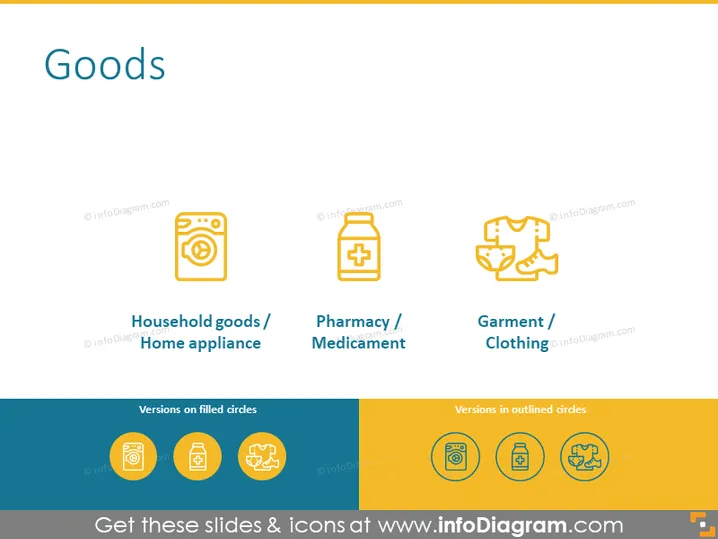
The PowerPoint slide titled "Goods" presents three categories of goods with corresponding icons and labels underneath. "Household goods / Home appliance" is represented by a washing machine icon, indicating items commonly used for domestic tasks. "Pharmacy / Médicament" shows a medical cross on a container, symbolizing products related to health and wellness. "Garment / Clothing" is depicted by linked hangers, suggesting items of fashion and apparel.
Graphical Look
- The slide has a clean white background with a large, bold title "Goods" at the top, using a sans-serif font.
- Three icons are aligned horizontally in the middle of the slide – each icon represents a different category of goods.
- Icons are flat and minimalistic, utilizing a single color theme, with the outlines and details in a complementary hue.
- Below each icon, there are labels in a smaller font size, providing a brief description of the goods each icon represents. The text for labels is also sans-serif.
- The icons and their labels are evenly spaced apart, allowing for easy visual differentiation between the categories.
- There is a color block at the bottom, divided into two sections: "Versions on filled circles" with colored fill and "Versions in outlined circles" with a filled background.
The slide has a modern and minimalistic design, with ample use of negative space to emphasize the content. The use of color is limited, which helps the icons stand out and guide the viewer's focus.
Use Cases
- Presenting different product categories in a retail or manufacturing business presentation.
- Segmenting goods for a supply chain or logistics briefing.
- Introducing new merchandise areas during a company-wide meeting or investor presentation.
- Offering a visual breakdown of goods in educational materials about retail, manufacturing, or economics.
How to Edit
How to edit text & colors

How to expand / shorten diagram

How to Replace Icons in infoDiagram PPT


