
Reviews
Sus gráficos añaden un toque agradable a mis presentaciones y recientemente los usé para una de mis reuniones generales. Su conjunto de herramientas añade profesionalismo a mis diapositivas. En lugar de usar imágenes prediseñadas estándar.
Necesitaba un aspecto fresco para algunas de mis diapositivas. Había intentado encontrar una forma de crear un efecto de pincel, de subrayar, acentuar, añadir algo de color y los marcadores escritos a mano fueron justo lo que necesitaba. Muy fácil de usar, fácil de ajustar el tamaño, cambiar el color. Fue una solución asequible y perfecta, y estoy feliz de recomendarla.
El aspecto nítido y limpio de los gráficos, y el hecho de que me permitiera editar y cambiar fácilmente los colores para que coincidieran con la plantilla fue mi principal razón para comprarlos.
Description
Flat Icons Set — People, Business
Slide Content
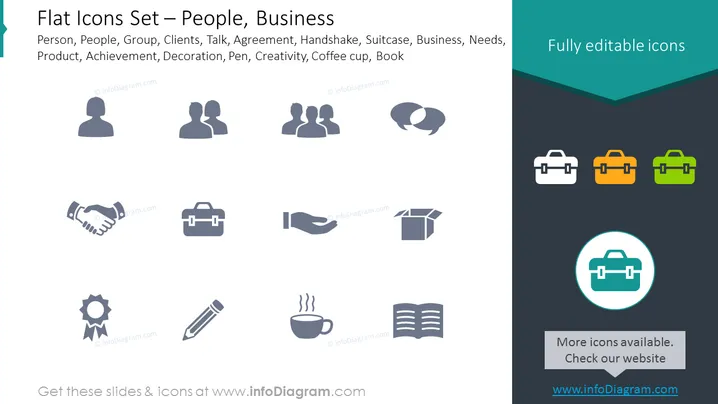
The PowerPoint slide titled "Flat Icons Set — People, Business" presents a collection of simple, stylized icons representing various concepts and entities related to business and interpersonal interactions. These include an individual person, a group of people signifying a team or clients, a speech bubble for communication or agreement, a handshake for partnerships, a briefcase for business, a star for achievement or quality, a decorative element, a pen for writing or creativity, and a coffee cup and book for work environment or learning.
Graphical Look
- The slide utilizes a flat design style for the graphics, with icons in monochrome gray except for three briefcases presented in green, orange, and teal.
- The icons are distributed in a grid format with three rows and four columns, centered on the slide.
- Each icon is simple and easily recognizable, employing minimalist lines and shapes to convey the concept.
- The background of the slide is a neutral white, with a triangular overlay in teal at the top right corner containing the text "Fully editable icons".
- In the bottom right corner, there is a highlighted icon of a briefcase within a teal circle, accented by a rectangular speech bubble with a message about additional icons available on the website.
The overall look of the slide is modern and clean, designed to be visually accessible with a professional appearance. The use of contrasting colors on selected icons draws attention to them, suggesting customization or highlighting.
Use Cases
- The icons can be incorporated into business presentations to visually represent various topics such as team dynamics, client interactions, agreements, or company offerings.
- A professional can use them during training sessions to underscore discussion points like achievement recognition, creative processes, or workplace essentials.
- They are also useful in marketing materials to graphically convey the benefits or features of a product or service.
- In reports or proposals, these icons may be used to visually segment sections and make the document more engaging.
How to Edit
How to edit text & colors

How to expand / shorten diagram

How to Replace Icons in infoDiagram PPT


