

Your graphics add a nice touch to my presentations and I recently used them for one of my all-hands meetings. Your toolbox adds professionalism to my slides. Instead of using standard clipart.
Claude Jones, Director of Engineer, @Walmartlabs, USA

Your graphics add a nice touch to my presentations and I recently used them for one of my all-hands meetings. Your toolbox adds professionalism to my slides. Instead of using standard clipart.
Claude Jones, Director of Engineer, @Walmartlabs, USA
I needed a fresh look at some of my slides. I've tried to find a way to create a paintbrush effect, to underline, accentuate, add some color and the handwritten markers were just the things. Very easy to use, easy to size, change the color. It was an affordable, perfect solution and I'm happy to recommend it.
Anonymous, US
The crisp, clean look of the graphics, and the fact that it allowed me to easily edit and change the colors to match the template was my main reason for purchasing them.
Brandie Jenkins, E-learning Developer, USA
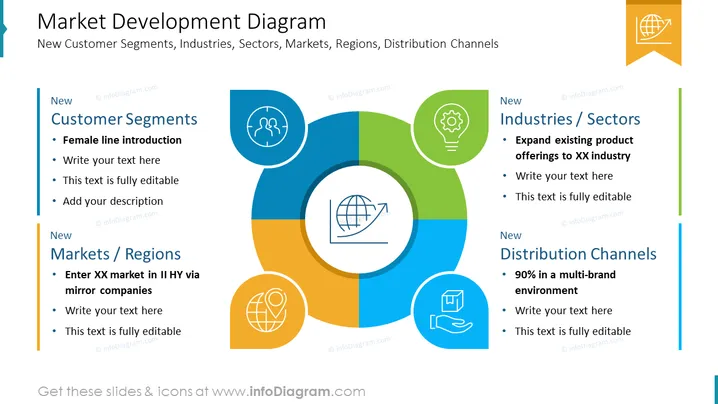
The PowerPoint slide titled "Market Development Diagram" presents an overview of strategies related to market expansion, including targeting new customer segments, industries/sectors, markets/regions, and distribution channels. "New Customer Segments" suggests introducing a female product line, while "New Industries/Sectors" focuses on expanding existing product offerings to new sectors. "New Markets/Regions" encourages entering new geographical markets through mirror companies, and "New Distribution Channels" discusses achieving 90% presence in a multi-brand environment, indicating diversification and broadening of sales avenues.
The slide has a modern, professional look, using a circular diagram with divided segments that symbolize interconnected areas of market development. The use of icons and brief text provides a clear, visual representation of each segment.



