
Reviews
Your graphics add a nice touch to my presentations and I recently used them for one of my all-hands meetings. Your toolbox adds professionalism to my slides. Instead of using standard clipart.
I needed a fresh look at some of my slides. I've tried to find a way to create a paintbrush effect, to underline, accentuate, add some color and the handwritten markers were just the things. Very easy to use, easy to size, change the color. It was an affordable, perfect solution and I'm happy to recommend it.
The crisp, clean look of the graphics, and the fact that it allowed me to easily edit and change the colors to match the template was my main reason for purchasing them.
Description
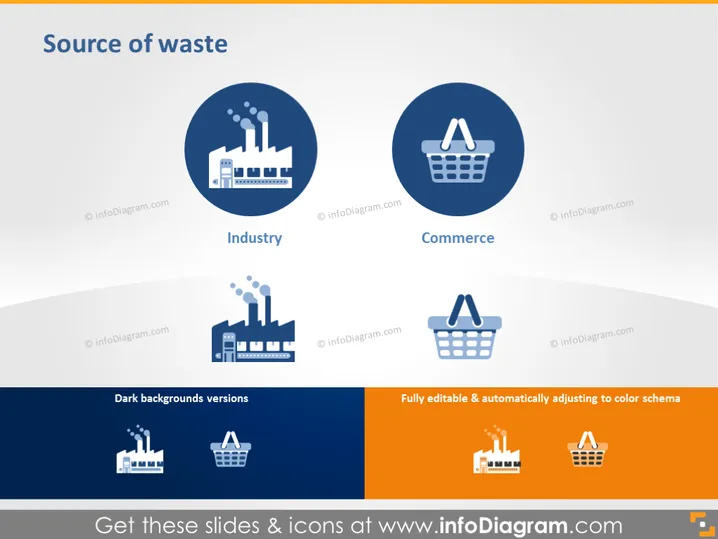
Source of waste
Slide Content
The slide presents two main categories of waste sources: Industry and Commerce. Under "Industry," there is a graphic icon of a factory, representing industrial operations such as manufacturing and energy production that contribute to waste generation. Next to it, "Commerce" is represented by a shopping basket icon, signifying the waste created by retail and consumer activities. Both concepts emphasize the origins of waste crucial in discussions of environmental impact and sustainability efforts.
Graphical Look
- The title "Source of waste" is prominently displayed at the top in large, bold text.
- There are two main graphical icons in circles: one of a factory for "Industry" and one of a shopping basket for "Commerce."
- Each icon is accompanied by a label underneath in capitalized font.
- There are two smaller icons with the same representations near the bottom for "Dark backgrounds versions."
- The larger icons are set against a deep blue background while the smaller versions are shown on a white background.
- The slide's background is a gradient from white to light grey, creating a subtle visual effect.
- Texts such as "Fully editable & automatically adjusting to color schema" refer to the slide's properties but are not part of the core content.
The overall look of the slide is sleek and modern, with a focus on simplicity and easy comprehension. The icons are stylized yet clear in their representation, and the color scheme is professional and muted.
Use Cases
- Used in environmental presentations to discuss the main contributors to waste generation.
- Included in sustainability reports to highlight areas for improvement or targeting waste reduction initiatives.
- Employed in educational settings when teaching about the impact of different sectors on the environment.
- Integrated into business presentations to discuss company policies on waste management and corporate social responsibility (CSR) strategies.
How to Edit
How to edit text & colors

How to expand / shorten diagram

How to Replace Icons in infoDiagram PPT


