
Reviews
Ihre Grafiken verleihen meinen Präsentationen eine nette Note, und ich habe sie kürzlich für eines meiner All-Hands-Meetings verwendet. Ihre Toolbox verleiht meinen Folien Professionalität, anstatt Standard-Clipart zu verwenden.
Ich brauchte einen neuen Blick auf einige meiner Folien. Ich habe versucht, einen Weg zu finden, einen Pinselschlag-Effekt zu erzielen, um zu unterstreichen, hervorzuheben, Farbe hinzuzufügen, und die handgeschriebenen Markierungen waren genau das Richtige. Sehr einfach zu bedienen, leicht in der Größe zu ändern, die Farbe zu ändern. Es war eine erschwingliche, perfekte Lösung und ich empfehle sie gerne weiter.
Die klare, saubere Optik der Grafiken und die Tatsache, dass ich die Farben leicht bearbeiten und an die Vorlage anpassen konnte, war mein Hauptgrund für den Kauf.
Description
Main Business Lines Profit Drivers
Slide Content
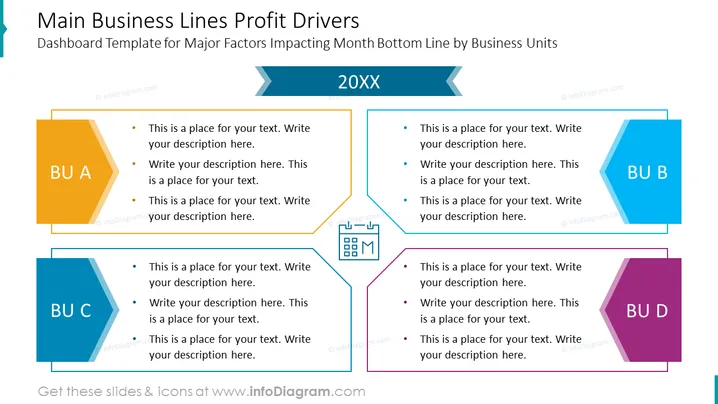
The PowerPoint slide titled "Main Business Lines Profit Drivers" is a dashboard template designed to illustrate the major factors that impact the month's bottom line by business units. It contains four distinct sections labeled "BU A," "BU B," "BU C," and "BU D,” each with three bullet points where customizable descriptions can be inserted. These sections could represent different departments or product lines within a company, and the bullet points allow for a detailed explanation of how each business unit contributes to overall profitability.
Graphical Look
- The slide has a crisp, professional layout with a white background.
- There are four distinct sections (designated by the labels "BU A," "BU B," "BU C," and "BU D") with colorful geometric shapes in yellow, blue, light blue, and purple, respectively.
- Each section includes a titled box and three bullet points for text.
- A central graphical element shaped like a calculator or terminal connects to each business unit with a thin line, suggesting a central analysis point or aggregation of data.
- The slide's title is prominently displayed at the top in large, bold font, with a smaller subtitle beneath it.
- There are two stylized arrow graphics on the top right, suggesting navigation or progression, with the year "20XX" placed between them.
The overall look of the slide is clean and modern, using geometrical shapes and a variety of colors to create a visually appealing segmentation of information. It is well-organized, making it easy to distinguish between the different segments represented by each business unit.
Use Cases
- To present a financial summary in corporate board meetings, illustrating the contributions of different departments to the company's bottom line.
- During strategic business reviews, to discuss the performance of various product lines or regional markets.
- In investor briefings, to succinctly communicate how each segment of the business is driving profitability.
- For internal team updates, to provide clarity on department objectives and how they align with the company's overall profitability goals.
How to Edit
How to edit text & colors

How to expand / shorten diagram

How to Replace Icons in infoDiagram PPT


