
Reviews
The icons are fantastic, easy to use, and will add value to any project or presentation. Keep up the great work.
I love how simple infoDiagram's solutions are and the personal interest they took in my work. Recommended 1000%!
The crisp, clean look of the graphics, and the fact that it allowed me to easily edit and change the colors to match the template was my main reason for purchasing them.
Description
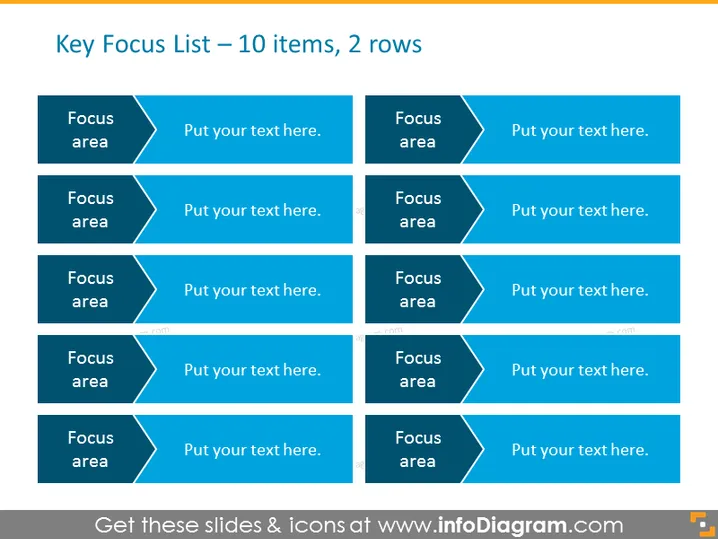
Key Focus List – 10 items, 2 rows
Slide Content
The slide presents a structure for showcasing a "Key Focus List" with ten items organized into two rows. Each item has a dedicated space that includes a labeled "Focus area" on the left and a customizable text field on the right for additional details or explanations. This layout allows the presenter to highlight key priorities or areas of attention. The two-column format ensures a clear and efficient way to communicate multiple points without cluttering the slide.
Graphical Look
- The slide background is white, providing a clean canvas for the content.
- There are ten rectangular shapes, each with a darker left side labeled "Focus area" and a lighter right side for text input.
- These rectangles employ a two-tone color scheme, with blue shades, giving them a professional appearance.
- The rectangles are evenly distributed across the slide in two rows of five, creating a grid-like pattern.
- Each "Focus area" segment has a chevron or arrow shape pointing towards the right side where the text can be added.
- The overall color palette is composed of various shades of blue, conveying stability and professionalism.
The slide has a balanced and organized layout with a simple, professional color scheme that is easy on the eyes and suitable for business environments.
Use Cases
- To outline main objectives or priorities during strategic planning meetings.
- For summarizing action items in a team progress update or review.
- Can be used to list and clarify the responsibilities of different departments or team members in a project kickoff meeting.
- Ideal for sales or marketing presentations to highlight multiple products or campaign elements.
How to Edit
How to edit text & colors

How to expand / shorten diagram

How to Replace Icons in infoDiagram PPT


