
Reviews
Your graphics add a nice touch to my presentations and I recently used them for one of my all-hands meetings. Your toolbox adds professionalism to my slides. Instead of using standard clipart.
I needed a fresh look at some of my slides. I've tried to find a way to create a paintbrush effect, to underline, accentuate, add some color and the handwritten markers were just the things. Very easy to use, easy to size, change the color. It was an affordable, perfect solution and I'm happy to recommend it.
The crisp, clean look of the graphics, and the fact that it allowed me to easily edit and change the colors to match the template was my main reason for purchasing them.
Description
Waste treatment
Slide Content
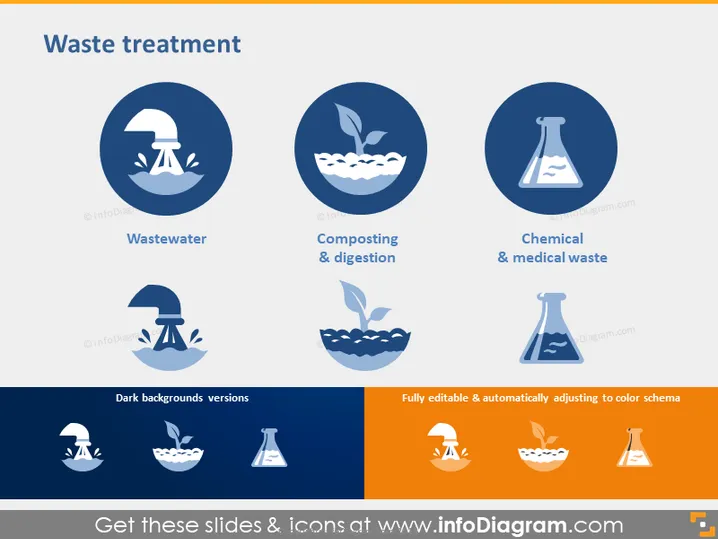
The PowerPoint slide titled "Waste treatment" is addressing three types of waste management methods: Wastewater, Composting & digestion, and Chemical & medical waste. Wastewater management involves treating water contaminated by human activities. Composting & digestion is the natural process of recycling organic matter, such as leaves and food scraps, into a valuable fertilizer. Chemical & medical waste refers to the specialized treatment required for hazardous waste from medical and chemical sources to ensure they do not harm the environment or public health.
Graphical Look
- Three large circles with icons and text underneath each represent different waste treatment methods in the top row.
- Each circle has a dark blue background with a white icon in the center: a faucet and water symbol for "Wastewater," a leaf and apple core for "Composting & digestion," and a flask for "Chemical & medical waste."
- Below the circles, there is a header "Dark backgrounds versions" in white font, possibly indicating a separate section for alternative designs of the icons.
- Below the header, there are three corresponding icons shown on a dark grey, semi-transparent banner for a different color scheme.
- To the right, a text box states "Fully editable & automatically adjusting to color schema" in white font on an orange, arrow-shaped banner.
The slide has a clean and modern look, using color coding and simple icons to convey complex waste treatment methods visually. The design is well-organized, with harmonious colors and graphics that are easy to interpret at a glance.
Use Cases
- Presenting waste management strategies in an environmental engineering or sustainability report.
- Use in educational settings to teach about various waste treatment processes.
- To provide a visual aid in a pitch to potential investors in a waste treatment facility or technology.
- In corporate training sessions, when explaining the company's waste disposal and recycling policies.
How to Edit
How to edit text & colors

How to expand / shorten diagram

How to Replace Icons in infoDiagram PPT


