
Your graphics add a nice touch to my presentations and I recently used them for one of my all-hands meetings. Your toolbox adds professionalism to my slides. Instead of using standard clipart.
Claude Jones, Director of Engineer, @Walmartlabs, USA

Your graphics add a nice touch to my presentations and I recently used them for one of my all-hands meetings. Your toolbox adds professionalism to my slides. Instead of using standard clipart.
Claude Jones, Director of Engineer, @Walmartlabs, USA

I needed a fresh look at some of my slides. I've tried to find a way to create a paintbrush effect, to underline, accentuate, add some color and the handwritten markers were just the things. Very easy to use, easy to size, change the color. It was an affordable, perfect solution and I'm happy to recommend it.
Anonymous, US
The crisp, clean look of the graphics, and the fact that it allowed me to easily edit and change the colors to match the template was my main reason for purchasing them.
Brandie Jenkins, E-learning Developer, USA
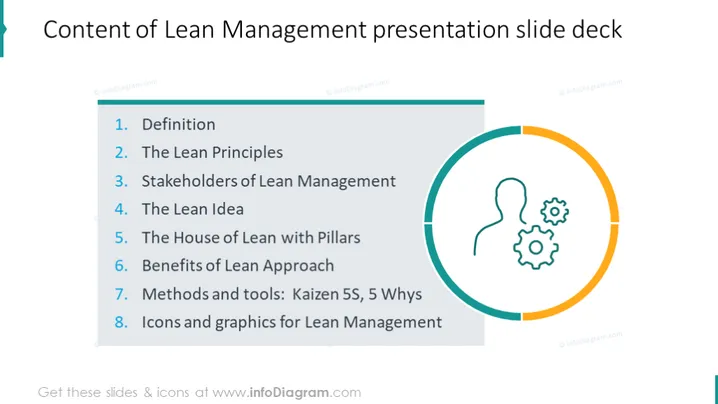
The PowerPoint slide provides an overview of the contents for a Lean Management presentation deck, featuring eight listed items. "1. Definition" likely explains what Lean Management is. "2. The Lean Principles" probably details the core concepts behind Lean Management. "3. Stakeholders of Lean Management" could identify key individuals or groups involved. "4. The Lean Idea" goes into the fundamental logic of the Lean approach. "5. The House of Lean with Pillars" might describe a structured framework of Lean concepts. "6. Benefits of Lean Approach" would discuss the advantages of implementing Lean strategies. "7. Methods and tools: Kaizen 5S, 5 Whys" refers to specific Lean methodologies and tools for continuous improvement. "8. Icons and graphics for Lean Management" suggests visual aids related to Lean Management will be provided.
The slide has a clean and modern aesthetic, with a balanced layout. The use of color highlights the main graphic element while maintaining overall minimalism.


