
Reviews
Sus gráficos añaden un toque agradable a mis presentaciones y recientemente los usé para una de mis reuniones generales. Su conjunto de herramientas añade profesionalismo a mis diapositivas. En lugar de usar imágenes prediseñadas estándar.
Necesitaba un aspecto fresco para algunas de mis diapositivas. Había intentado encontrar una forma de crear un efecto de pincel, de subrayar, acentuar, añadir algo de color y los marcadores escritos a mano fueron justo lo que necesitaba. Muy fácil de usar, fácil de ajustar el tamaño, cambiar el color. Fue una solución asequible y perfecta, y estoy feliz de recomendarla.
El aspecto nítido y limpio de los gráficos, y el hecho de que me permitiera editar y cambiar fácilmente los colores para que coincidieran con la plantilla fue mi principal razón para comprarlos.
Description
Waste treatment
Slide Content
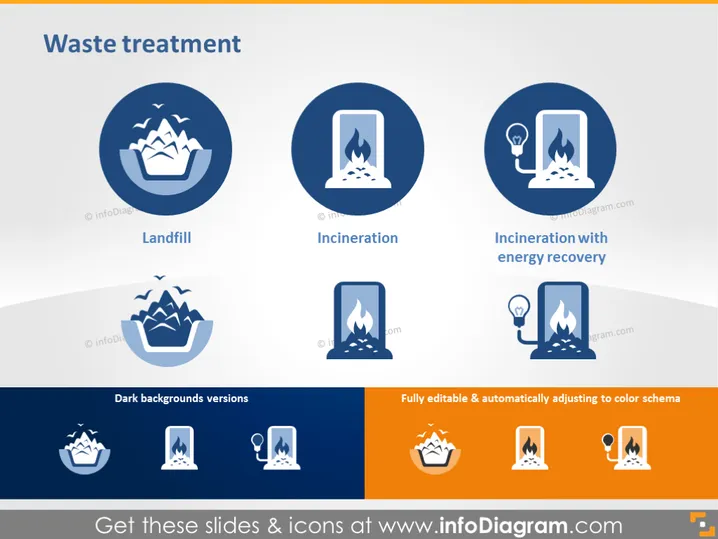
The PowerPoint slide titled "Waste treatment" presents three main waste treatment methods: "Landfill," which likely refers to traditional waste disposal in designated areas; "Incineration," which signifies burning waste to reduce its volume; and "Incineration with energy recovery," which implies not only disposing of waste by burning but also utilizing the energy produced during the process.
Graphical Look
- The slide has a clean, professional design with a white background and a gradient gray footer.
- Three main circular icons represent the waste treatment methods, colored in blue and white.
- Each icon is accompanied by a title below it in bold text, explaining the method it represents.
- Smaller versions of the icons are displayed below in two rows, catering to different background settings—labeled "Dark backgrounds versions."
- A small, orange rectangular icon highlights text stating that the graphics are fully editable and adjust automatically to the color scheme.
- Visually, the icons are mirrored above and below, suggesting adaptability to various display settings.
The overall look of the slide is modern and professional, with a clear visual hierarchy that guides the viewer from the general topic to specific methods. Icons are used effectively to convey complex information quickly and are designed for versatile use across different background colors.
Use Cases
- Presenting waste management strategies during an environmental conference.
- Educating employees in a company about sustainable practices in waste disposal.
- Detailing components of a waste treatment facility's operations in a business plan or proposal.
- Illustrating different methods of waste processing in educational materials or textbooks.
How to Edit
How to edit text & colors

How to expand / shorten diagram

How to Replace Icons in infoDiagram PPT


