
Reviews
Ihre Grafiken verleihen meinen Präsentationen eine nette Note, und ich habe sie kürzlich für eines meiner All-Hands-Meetings verwendet. Ihre Toolbox verleiht meinen Folien Professionalität, anstatt Standard-Clipart zu verwenden.
Ich brauchte einen neuen Blick auf einige meiner Folien. Ich habe versucht, einen Weg zu finden, einen Pinselschlag-Effekt zu erzielen, um zu unterstreichen, hervorzuheben, Farbe hinzuzufügen, und die handgeschriebenen Markierungen waren genau das Richtige. Sehr einfach zu bedienen, leicht in der Größe zu ändern, die Farbe zu ändern. Es war eine erschwingliche, perfekte Lösung und ich empfehle sie gerne weiter.
Die klare, saubere Optik der Grafiken und die Tatsache, dass ich die Farben leicht bearbeiten und an die Vorlage anpassen konnte, war mein Hauptgrund für den Kauf.
Description
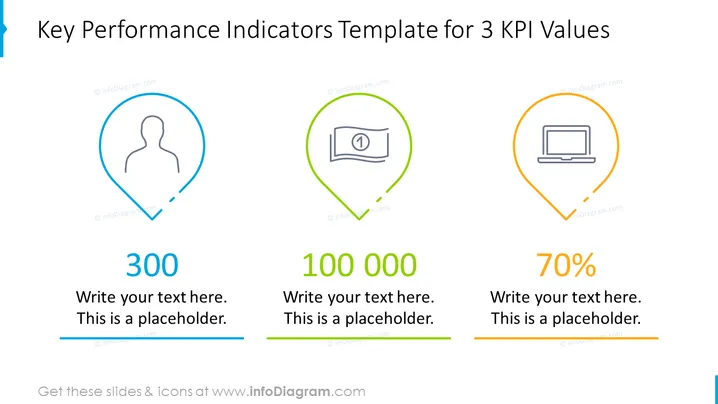
Key Performance Indicators Template for 3 KPI Values
Slide Content:
The slide is designed to present three key performance indicators (KPIs) in a visually appealing format. Each KPI is symbolized by an icon: a person, a calendar, and a laptop, suggesting metrics related to human resources, time management, and technology or productivity. Below each icon is a space to showcase a numeric value or percentage that represents the KPI, along with placeholder text for additional descriptions or context.
Graphical Look:
- Three distinct icons each within a pin-shaped bubble: a human figure, a calendar page, and a laptop.
- The icons are color-coded with blue, green, and yellow outlines, adding to the visual distinction.
- Large, bold numbers "300," "100 000," and "70%" are displayed beneath the respective icons, indicating KPI values.
- Under each number, there is a blue horizontal line that functions as a placeholder for further text.
- The background of the slide is white, which helps the colors and icons stand out. The slide has a simple, modern design with a clear focus on the KPI values. The use of different colors and icons aids in quickly differentiating between the various metrics.
Use Cases:
- In business review meetings to report on company performance against set objectives.
- During strategic planning sessions to define and discuss targets for different company departments.
- In investor presentations to highlight the company's operational efficiency and performance.
- For internal dashboards that track and display ongoing performance metrics.
How to Edit
How to edit text & colors

How to expand / shorten diagram

How to Replace Icons in infoDiagram PPT


