

Your graphics add a nice touch to my presentations and I recently used them for one of my all-hands meetings. Your toolbox adds professionalism to my slides. Instead of using standard clipart.
Claude Jones, Director of Engineer, @Walmartlabs, USA

Your graphics add a nice touch to my presentations and I recently used them for one of my all-hands meetings. Your toolbox adds professionalism to my slides. Instead of using standard clipart.
Claude Jones, Director of Engineer, @Walmartlabs, USA
I needed a fresh look at some of my slides. I've tried to find a way to create a paintbrush effect, to underline, accentuate, add some color and the handwritten markers were just the things. Very easy to use, easy to size, change the color. It was an affordable, perfect solution and I'm happy to recommend it.
Anonymous, US
The crisp, clean look of the graphics, and the fact that it allowed me to easily edit and change the colors to match the template was my main reason for purchasing them.
Brandie Jenkins, E-learning Developer, USA
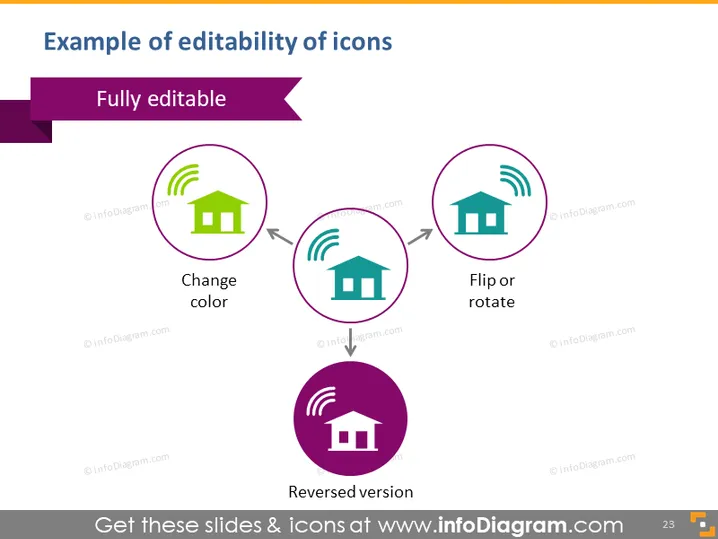
The slide showcases the editability features of icon illustrations, specifically emphasizing the ability to modify icon designs. "Fully editable" conveys that users have complete control over the appearance of these icons. Three examples are provided: "Change color" represents how a user can alter the color scheme of the icons to fit their design needs. "Flip or rotate" illustrates the possibility to adjust the orientation of the icon. "Reversed version" shows an icon with inverted colors, demonstrating a different visual style that can be achieved.
The slide has a clean, professional appearance with a white background.
A purple title bar at the top contains white text aligning with the slide's title.
Below the title, three circular icons are aligned horizontally, each encircled by a thin, dark purple border.
The leftmost icon is green on a white background, with the caption "Change color" beneath it, indicating its color can be changed.
The center icon retains its original design but is depicted upside down, signifying the "Flip or rotate" action.
The rightmost icon is purple with a white house and signal, noted as a "Reversed version" of the original icon color scheme.
Text labels are of medium size and easy to read, positioned centrally below each icon.
The overall look is structured and symmetrical, designed to clearly convey the concept of icon editability with a visual demonstration through the use of representative icons and descriptive text. The color palette is limited to purple, green, and white, which maintains visual coherence and highlights the icons' transformative aspects.



