
Reviews
Ihre Grafiken verleihen meinen Präsentationen eine nette Note, und ich habe sie kürzlich für eines meiner All-Hands-Meetings verwendet. Ihre Toolbox verleiht meinen Folien Professionalität, anstatt Standard-Clipart zu verwenden.
Ich brauchte einen neuen Blick auf einige meiner Folien. Ich habe versucht, einen Weg zu finden, einen Pinselschlag-Effekt zu erzielen, um zu unterstreichen, hervorzuheben, Farbe hinzuzufügen, und die handgeschriebenen Markierungen waren genau das Richtige. Sehr einfach zu bedienen, leicht in der Größe zu ändern, die Farbe zu ändern. Es war eine erschwingliche, perfekte Lösung und ich empfehle sie gerne weiter.
Die klare, saubere Optik der Grafiken und die Tatsache, dass ich die Farben leicht bearbeiten und an die Vorlage anpassen konnte, war mein Hauptgrund für den Kauf.
Description
Introduction to Climate Change
Slide Content
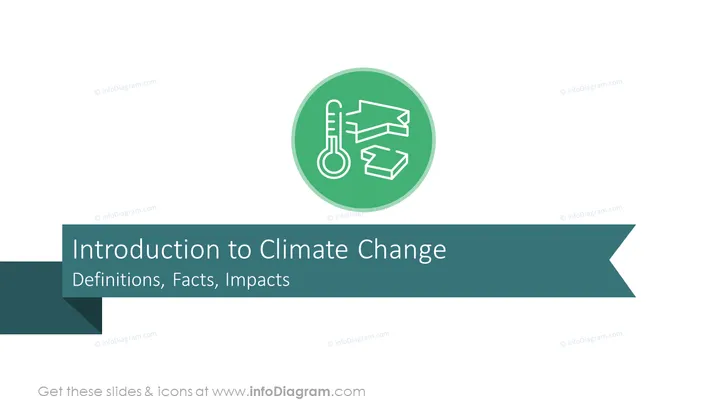
The PowerPoint slide is titled "Introduction to Climate Change" and includes the subtitle "Definitions, Facts, Impacts." The topic is an introductory overview of climate change. It likely covers the basic terminology associated with climate change, presents factual data or evidence supporting the existence and causes of climate change, and discusses the various effects and consequences that climate change has on the environment, human societies, and global economies.
Graphical Look
- A large green circular icon centered at the top with a white outline of a thermometer and arrows representing a cycle or recycling.
- A bold title "Introduction to Climate Change" in a large font size directly below the green icon.
- A subtitle "Definitions, Facts, Impacts" below the title, written in smaller font size.
- A wide dark green banner behind the title, extending beyond the title's length, with a ribbon-like cut on the right side, giving it a dynamic appearance.
- The background of the slide is a light grey, creating contrast with the green color of the banner and icon, making the text and graphics stand out.
The slide has a clean and professional look, using a limited color palette to draw attention to the title and the icon. The use of space and contrast between elements helps to make the text and graphics easily distinguishable.
Use Cases
- Kick-off slide for a workshop or seminar focusing on climate change education.
- Introduction slide in a professional presentation to set the context before delving into more specific data or case studies related to climate change.
- Opening slide for a section of an academic lecture introducing the concept of climate change to the audience.
- First slide of a pitch presentation to potential investors or partners for environmentally focused projects or services.
How to Edit
How to edit text & colors

How to expand / shorten diagram

How to Replace Icons in infoDiagram PPT


