

Your graphics add a nice touch to my presentations and I recently used them for one of my all-hands meetings. Your toolbox adds professionalism to my slides. Instead of using standard clipart.
Claude Jones, Director of Engineer, @Walmartlabs, USA

Your graphics add a nice touch to my presentations and I recently used them for one of my all-hands meetings. Your toolbox adds professionalism to my slides. Instead of using standard clipart.
Claude Jones, Director of Engineer, @Walmartlabs, USA
I needed a fresh look at some of my slides. I've tried to find a way to create a paintbrush effect, to underline, accentuate, add some color and the handwritten markers were just the things. Very easy to use, easy to size, change the color. It was an affordable, perfect solution and I'm happy to recommend it.
Anonymous, US
The crisp, clean look of the graphics, and the fact that it allowed me to easily edit and change the colors to match the template was my main reason for purchasing them.
Brandie Jenkins, E-learning Developer, USA
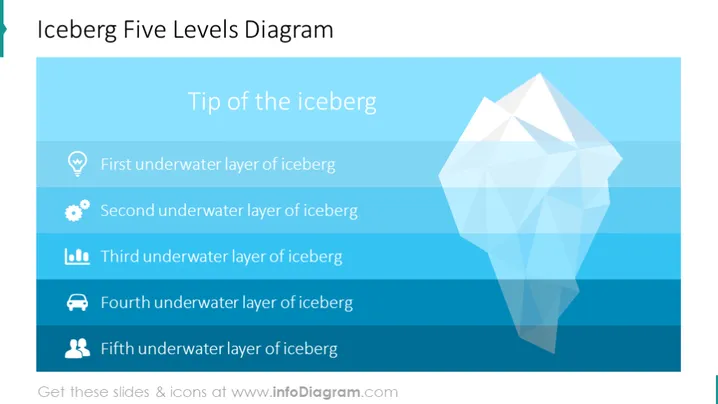
This iceberg diagram slide contains 5 layers of an underlying situation. It can be used in all lines of work, to address a challenge that your company encountered. That's why we created this presentation with interesting infographics which are fully editable to help you address the problem with your stakeholders.
On this slide, we have placed an ocean water background and an editable iceberg diagram. It's also important to put icons that will be a metaphor for the situation you're addressing. In the first layer, we have placed a lightbulb icon that represents an idea or some innovation. In the second layer, we have a gear icon, which could be associated with production/manufacturing, while the third layer contains a data bar chart, which could be connected with some research regarding a new or existing market, or a financial matter. The fourth underwater layer has a car icon - regarding transport/delivery, and the final fifth layer has a people icon, symbolizing the customers along with their needs and pains.
This slide is a part of the Iceberg Diagram PPT Template, which contains many shape elements to edit, graphic vectors, and a presentation of the unconscious vs. conscious mind according to Freud's concept. You can convert the template into PowerPoint, Google Slides, and Keynote. You can also see our unlimited choice of icons to find the ones that suit you.



