
Reviews
Your graphics add a nice touch to my presentations and I recently used them for one of my all-hands meetings. Your toolbox adds professionalism to my slides. Instead of using standard clipart.
I needed a fresh look at some of my slides. I've tried to find a way to create a paintbrush effect, to underline, accentuate, add some color and the handwritten markers were just the things. Very easy to use, easy to size, change the color. It was an affordable, perfect solution and I'm happy to recommend it.
The crisp, clean look of the graphics, and the fact that it allowed me to easily edit and change the colors to match the template was my main reason for purchasing them.
Description
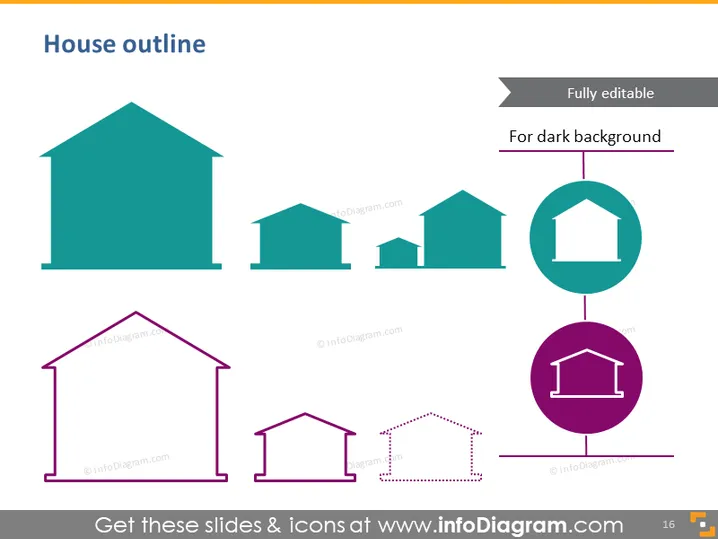
House outline
Slide Content
The theme of the PowerPoint slide titled "House outline" appears to be providing various house icons or shapes that can be used to represent different concepts in presentations. These icons may symbolize homes, real estate assets, or other housing-related elements. They are presented in pairs, each depicting a filled and an outline version of the house, suggesting versatility and adaptability in use, suitable for both light and dark backgrounds.
Graphical Look
- A large title "House outline" at the top in a bold and readable font.
- A row of four house icons in a solid teal color, followed by an identical row in purple outline below.
- An additional house icon pair is presented vertically on the right side, connected by a dotted line, emphasizing the option for a dark background.
- The slide background is plain white, creating a high contrast that makes the house icons stand out.
The overall look of the slide is minimalistic and professional, with a strong visual contrast between the icons and the background. The use of a simple color palette and clear outlines makes the icons easy to recognize.
Use Cases
- Highlighting various types of properties or architectural styles in a real estate presentation.
- Discussing housing market trends with visual emphasis on property types or categories.
- Representing different business divisions or subsidiaries that are part of a "house" or parent company in a corporate presentation.
- Using the icons as metaphors for different concepts such as security, family, and investment in a motivational or strategic business speech.
How to Edit
How to edit text & colors

How to expand / shorten diagram

How to Replace Icons in infoDiagram PPT


