
Reviews
Your graphics add a nice touch to my presentations and I recently used them for one of my all-hands meetings. Your toolbox adds professionalism to my slides. Instead of using standard clipart.
I needed a fresh look at some of my slides. I've tried to find a way to create a paintbrush effect, to underline, accentuate, add some color and the handwritten markers were just the things. Very easy to use, easy to size, change the color. It was an affordable, perfect solution and I'm happy to recommend it.
The crisp, clean look of the graphics, and the fact that it allowed me to easily edit and change the colors to match the template was my main reason for purchasing them.
Description
House – interior setup
Slide Content
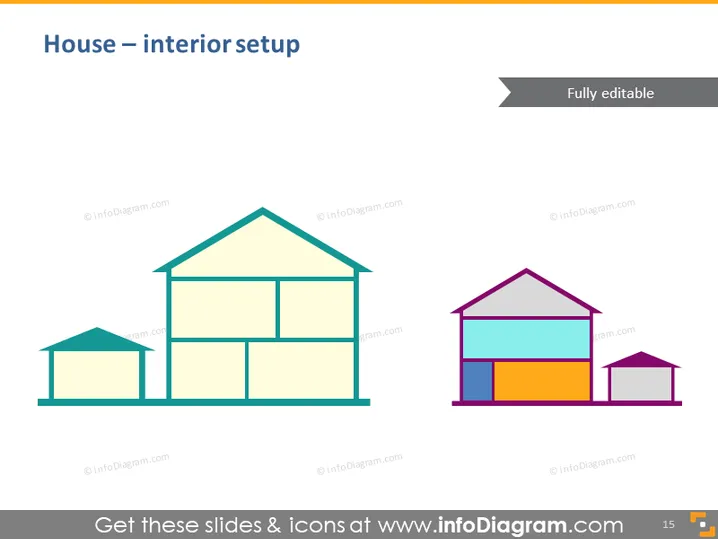
This PowerPoint slide is intended to showcase the interior setup of a house. Two stylized house illustrations are presented. The first house appears in a monochromatic color scheme, suggesting a blueprint or an unfinished design stage. The second house is depicted with vibrant colors in each section, perhaps indicating different rooms or areas, which serves as a more finalized or idealistic representation of an interior design concept.
Graphical Look
- A large header in dark blue text aligned to the left stating the slide title "House – interior setup".
- A subtitle in a dark rectangular banner on the top right corner, stating "Fully editable".
- Two simplified, diagrammatic illustrations of houses side by side.
- The left house consists of basic filled shapes in shades of green, creating a two-dimensional representation.
- The right house is composed of bright colored sections—purple roof, blue upper level, orange ground level, and a small grey area, likely representing a garage.
The slide has a clean and modern appearance, using a flat design style for the graphics. It presents visual contrasts between a plain, monochromatic house and a colorful, detailed counterpart.
Use Cases
- Presenting renovation plans and showing before-and-after design changes.
- Illustrating a step-by-step guide to interior decorating or space planning.
- Comparing empty room layouts to furnished room concepts in a real estate sales presentation.
- Introducing new housing models in architectural or interior design pitches to clients.
How to Edit
How to edit text & colors

How to expand / shorten diagram

How to Replace Icons in infoDiagram PPT


