

Your graphics add a nice touch to my presentations and I recently used them for one of my all-hands meetings. Your toolbox adds professionalism to my slides. Instead of using standard clipart.
Claude Jones, Director of Engineer, @Walmartlabs, USA

Your graphics add a nice touch to my presentations and I recently used them for one of my all-hands meetings. Your toolbox adds professionalism to my slides. Instead of using standard clipart.
Claude Jones, Director of Engineer, @Walmartlabs, USA
I needed a fresh look at some of my slides. I've tried to find a way to create a paintbrush effect, to underline, accentuate, add some color and the handwritten markers were just the things. Very easy to use, easy to size, change the color. It was an affordable, perfect solution and I'm happy to recommend it.
Anonymous, US
The crisp, clean look of the graphics, and the fact that it allowed me to easily edit and change the colors to match the template was my main reason for purchasing them.
Brandie Jenkins, E-learning Developer, USA
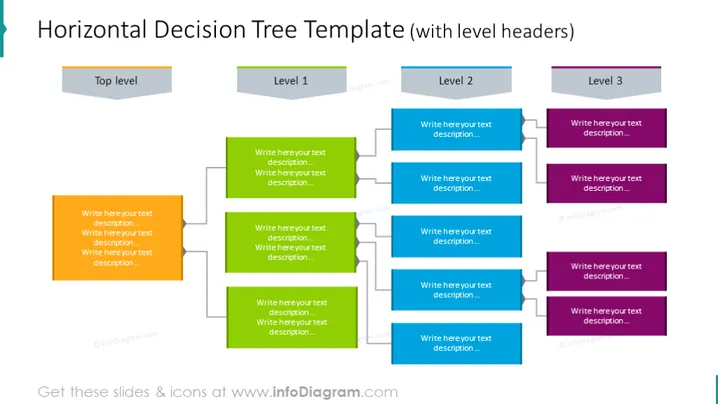
The slide depicts a decision tree organized horizontally, signifying the process of hierarchical decision-making. The "Top level" initiates the tree, branching into "Level 1," which further subdivides into "Level 2" and then "Level 3," each with spaces for descriptive text. Each level exhibits multiple options, implying the complexity or the multitude of choices that could be made at every step in a decision-making process.
The slide's overall look is professional, with a clear visual hierarchy emphasized by color coding and clean lines. The organization facilitates easy understanding of complex decision-making processes or organizational structures.



