
Reviews
Sus gráficos añaden un toque agradable a mis presentaciones y recientemente los usé para una de mis reuniones generales. Su conjunto de herramientas añade profesionalismo a mis diapositivas. En lugar de usar imágenes prediseñadas estándar.
Necesitaba un aspecto fresco para algunas de mis diapositivas. Había intentado encontrar una forma de crear un efecto de pincel, de subrayar, acentuar, añadir algo de color y los marcadores escritos a mano fueron justo lo que necesitaba. Muy fácil de usar, fácil de ajustar el tamaño, cambiar el color. Fue una solución asequible y perfecta, y estoy feliz de recomendarla.
El aspecto nítido y limpio de los gráficos, y el hecho de que me permitiera editar y cambiar fácilmente los colores para que coincidieran con la plantilla fue mi principal razón para comprarlos.
Description
Icons: direction and distance arrows (hand-drawn ink style)
Slide Content
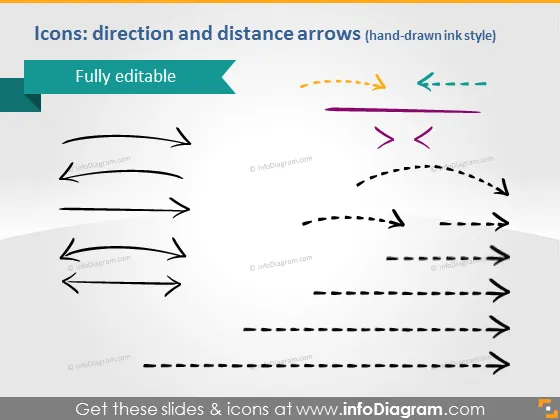
The PowerPoint slide is titled "Icons: direction and distance arrows (hand-drawn ink style)" and indicates that the elements shown are "Fully editable." The slide presents a variety of arrow icons in a hand-drawn style, which are typically used to represent direction and motion, indicate progress in a process or delineate steps in a workflow. Each arrow is distinct, with some featuring dashed lines and others with double ends, suggesting different functionalities or types of movement.
Graphical Look
- A teal banner at the top left corner with white text states "Fully editable."
- Multiple arrow icons in various styles and colors are arranged in three rows across the slide.
- The first row contains arrows with solid lines, pointing in left and right directions.
- The second row features purple and orange arrows, with one containing dashed lines and the other displaying double ends.
- The third row includes arrows that are longer with dashes and arrowheads pointing in opposing directions.
- Each arrow is presented in a unique style, giving off a casual or informal vibe with their uneven, sketch-like appearance.
- The background of the slide is white, which allows the colorful arrow icons to stand out distinctly.
The slide's overall appearance is simple and uncluttered, focusing on visual elements that communicate the notion of direction and movement. The varying styles of arrows add a playful and creative tone to the design.
Use Cases
- Illustrating progression or directional steps in a business process during a presentation.
- Demonstrating workflow or task sequences in project management meetings.
- Adding visual interest to slides in creative or marketing strategy discussions to depict movement or development.
- Enhancing educational materials to visually represent various concepts related to direction, distance, or relationships between elements.
How to Edit
How to edit text & colors

How to expand / shorten diagram

How to Replace Icons in infoDiagram PPT


