
Reviews
Sus gráficos añaden un toque agradable a mis presentaciones y recientemente los usé para una de mis reuniones generales. Su conjunto de herramientas añade profesionalismo a mis diapositivas. En lugar de usar imágenes prediseñadas estándar.
Necesitaba un aspecto fresco para algunas de mis diapositivas. Había intentado encontrar una forma de crear un efecto de pincel, de subrayar, acentuar, añadir algo de color y los marcadores escritos a mano fueron justo lo que necesitaba. Muy fácil de usar, fácil de ajustar el tamaño, cambiar el color. Fue una solución asequible y perfecta, y estoy feliz de recomendarla.
El aspecto nítido y limpio de los gráficos, y el hecho de que me permitiera editar y cambiar fácilmente los colores para que coincidieran con la plantilla fue mi principal razón para comprarlos.
Description
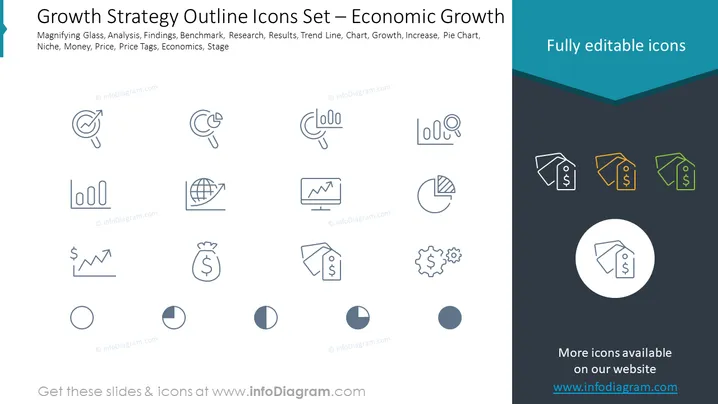
Growth Strategy Outline Icons Set – Economic Growth
Slide Content
The PowerPoint slide titled "Growth Strategy Outline Icons Set – Economic Growth" introduces a collection of line icons related to business and economic growth strategies. The subtitles indicate these icons depict various concepts such as Magnifying Glass, Analysis, Findings, Benchmark, Research, Results, Trend Line, Chart, Growth, Increase, Pie Chart, Niche, Money, Price, Price Tags, Economics, and Stage. Each icon serves as a visual metaphor for these concepts, aiding the presentation of strategic elements in a visual format. For instance, the magnifying glass symbolizes scrutiny or detailed analysis; the chart icons represent various types of data visualization; price tags could suggest cost consideration or pricing strategy; while gears might represent processes or operations.
Graphical Look
- The slide has a clean, professional design with a blue and teal color scheme.
- Twelve icons are evenly distributed across the slide in a grid layout, three icons per row.
- Each icon is a line art representation of a business concept and is placed within a light grey circle.
- To the right, there are three differently colored price tag icons, highlighted as "Fully editable icons."
- There is a focus on simplicity and clarity, with each icon separated by ample white space.
- The visual style of the icons is minimalistic, with thin lines and no fill, creating an outline effect.
- The slide uses a light background with a darker header area featuring the title of the slide.
The overall look of the slide is modern and uncluttered, with a professional tone suitable for business presentations. The icons' design is consistent, making it easy to interpret and visually appealing.
Use Cases
- Ideal for business presentations aiming to discuss or showcase components of a growth strategy.
- Can be used in educational settings when teaching concepts related to economic growth or business planning.
- Suitable for use in marketing materials or as part of a pitch to investors, highlighting key strategic points .
- Beneficial for internal corporate meetings to visually communicate different stages or aspects of project progress and development.
How to Edit
How to edit text & colors

How to expand / shorten diagram

How to Replace Icons in infoDiagram PPT


