

Your graphics add a nice touch to my presentations and I recently used them for one of my all-hands meetings. Your toolbox adds professionalism to my slides. Instead of using standard clipart.
Claude Jones, Director of Engineer, @Walmartlabs, USA

Your graphics add a nice touch to my presentations and I recently used them for one of my all-hands meetings. Your toolbox adds professionalism to my slides. Instead of using standard clipart.
Claude Jones, Director of Engineer, @Walmartlabs, USA
I needed a fresh look at some of my slides. I've tried to find a way to create a paintbrush effect, to underline, accentuate, add some color and the handwritten markers were just the things. Very easy to use, easy to size, change the color. It was an affordable, perfect solution and I'm happy to recommend it.
Anonymous, US
The crisp, clean look of the graphics, and the fact that it allowed me to easily edit and change the colors to match the template was my main reason for purchasing them.
Brandie Jenkins, E-learning Developer, USA
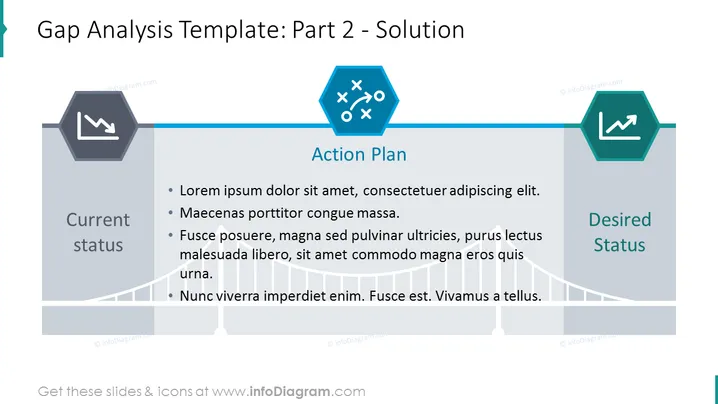
This example slide shows a gap analysis PowerPoint template. You use a gap analysis template to show you might improve the current state to the desired state using an action plan i.e. this process can help your current performance and achieve strategic goals or objectives. This diagram can be used as a part of a business case presentation, gap analysis reports, project management meetings, added to dashboards, perform strategy presentations, employee resources e.g. as a skills gap analysis template, annual reports, status updates, competitive analyses, explaining or defining what a gap analysis is e.g. during a training presentation, use to determine, identify, discuss, or document with your team or managers how to prepare & factor in tasks, dates & schedules; etc etc etc. All PowerPoint chart elements are fully editable, and icons come in a vector graphic format. Customize visuals to match your corporate palette, download graphics and export to Excel, Google Sheets, or PDF; or change text & data e.g. prices. Also compatible with Keynote and Google Slides.
##Template slide contents: Gap Analysis PPT, Vector Graphic Illustrations, 3 Column Analysis Table, Placeholder Text, Line Graphics, Hexagon Shapes, Downward Trend Icon, Plan Icon, Upward Trend Icon, Resizable Shapes, White Background



