
Reviews
Sus gráficos añaden un toque agradable a mis presentaciones y recientemente los usé para una de mis reuniones generales. Su conjunto de herramientas añade profesionalismo a mis diapositivas. En lugar de usar imágenes prediseñadas estándar.
Necesitaba un aspecto fresco para algunas de mis diapositivas. Había intentado encontrar una forma de crear un efecto de pincel, de subrayar, acentuar, añadir algo de color y los marcadores escritos a mano fueron justo lo que necesitaba. Muy fácil de usar, fácil de ajustar el tamaño, cambiar el color. Fue una solución asequible y perfecta, y estoy feliz de recomendarla.
El aspecto nítido y limpio de los gráficos, y el hecho de que me permitiera editar y cambiar fácilmente los colores para que coincidieran con la plantilla fue mi principal razón para comprarlos.
Description
4 Steps Arrow Circle Cycle Flow Chart
Slide Content
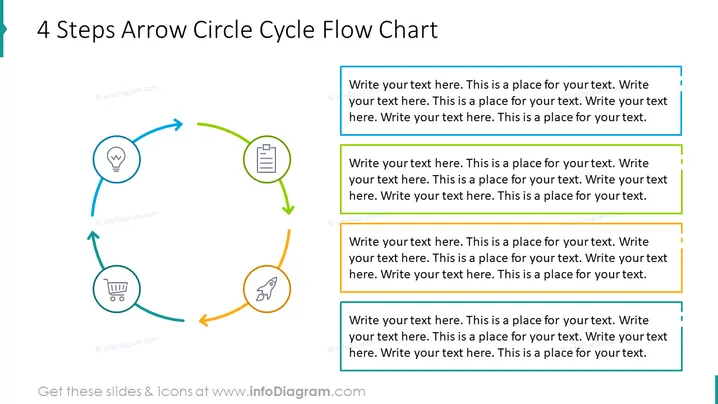
The slide presents a cyclical process flow in four steps, using a combination of arrows and circular icons. Each step is represented by a circular icon with a specific symbol: a light bulb for an idea, a clipboard for documentation, a rocket for launch or growth, and a shopping cart for purchase or acquisition. These symbols suggest a progression from conceptualization to action and execution. Each step is color-coded, connected by a directional arrow, and paired with a text box for explanatory notes.
Graphical Look
- The slide background is white, creating a clean and straightforward canvas for the content.
- Four circular icons are evenly spaced in a circular flow, each with an individual color: blue, green, orange, and teal.
- Each icon contains a unique symbol representing different concepts: a light bulb, a clipboard, a rocket, and a shopping cart.
- Directional arrows in matching colors connect the icons, highlighting the flow or progression from one step to the next.
- Adjacent to each icon and arrow is a colored text box for additional information, correlating with the color of the icon it corresponds to.
- The text boxes have white backgrounds with colored outlines and shadows, giving a subtle three-dimensional effect.
The slide's design is modern and minimalistic, using colors and simple icons to represent a four-step cyclical process, making the information easy to follow. The visual hierarchy directs the viewer's eye in a clockwise motion, indicating the sequence and flow between steps.
Use Cases
- To illustrate a business process or workflow during a team meeting or training session.
- To discuss stages of a product lifecycle or service implementation in a marketing presentation.
- To outline a step-by-step strategy or plan in a management meeting for clarity and direction.
- To demonstrate continuous improvement cycles such as Plan-Do-Check-Act (PDCA) in quality assurance presentations.
How to Edit
How to edit text & colors

How to expand / shorten diagram

How to Replace Icons in infoDiagram PPT


