
Reviews
Your graphics add a nice touch to my presentations and I recently used them for one of my all-hands meetings. Your toolbox adds professionalism to my slides. Instead of using standard clipart.
I needed a fresh look at some of my slides. I've tried to find a way to create a paintbrush effect, to underline, accentuate, add some color and the handwritten markers were just the things. Very easy to use, easy to size, change the color. It was an affordable, perfect solution and I'm happy to recommend it.
The crisp, clean look of the graphics, and the fact that it allowed me to easily edit and change the colors to match the template was my main reason for purchasing them.
Description
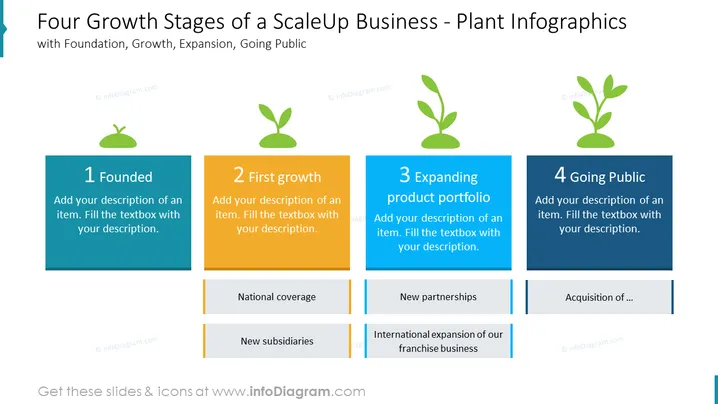
##Slide content: The Growth Stage Company PowerPoint slide consists of four phases: foundation, growth, expansion, and going public. The first stage is the foundation, where you can write when your company was established, and by who. The second stage is growth, where you can explain how your company started growing such as by obtaining national coverage and new subsidiaries. Next, you can talk about expanding your product portfolio, like new partnerships and international expansion of your franchise business. The last step is going public where you start acquiring profits. You can use this PPT slide if you are the owner of your business and wants to explain your company's growth stages. You can download this PPT template on Google Slides and Keynote.
##Slide Infographic Description: White Background, Text Box, Growing Plant Icon, Growth Icon, Blossoming Icon
How to Edit
How to edit text & colors

How to expand / shorten diagram

How to Replace Icons in infoDiagram PPT


