
Reviews
Sus gráficos añaden un toque agradable a mis presentaciones y recientemente los usé para una de mis reuniones generales. Su conjunto de herramientas añade profesionalismo a mis diapositivas. En lugar de usar imágenes prediseñadas estándar.
Necesitaba un aspecto fresco para algunas de mis diapositivas. Había intentado encontrar una forma de crear un efecto de pincel, de subrayar, acentuar, añadir algo de color y los marcadores escritos a mano fueron justo lo que necesitaba. Muy fácil de usar, fácil de ajustar el tamaño, cambiar el color. Fue una solución asequible y perfecta, y estoy feliz de recomendarla.
El aspecto nítido y limpio de los gráficos, y el hecho de que me permitiera editar y cambiar fácilmente los colores para que coincidieran con la plantilla fue mi principal razón para comprarlos.
Description
Title 1
Slide Content
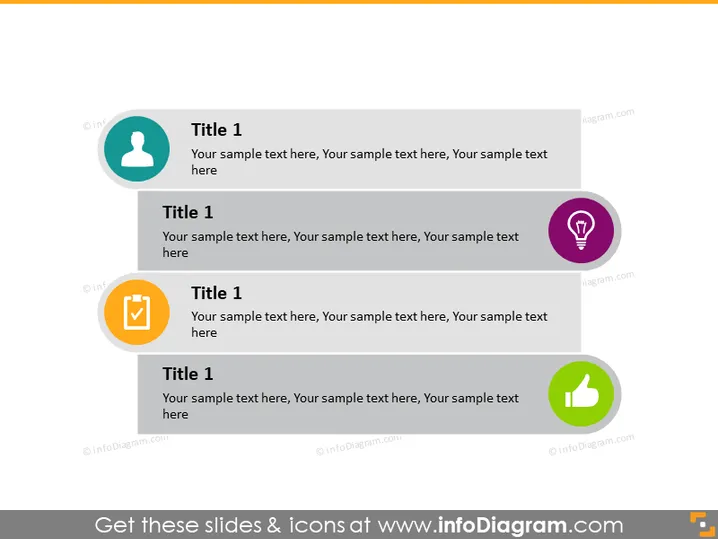
The PowerPoint slide is structured as a series of four steps or key points, each labeled "Title 1" accompanied by a short descriptive text. The uniformity in titles suggests the slide demonstrates stages or aspects of a concept that are of equal importance. Each point has an associated icon, indicating a unique part of the process or theme that the slide is trying to convey, adding a visual representation to the textual content.
Graphical Look
- The slide has a clean, white background providing high contrast to the contents.
- Four distinct content blocks are vertically aligned in the center of the slide.
- Each block contains a large, circular icon on the left with a different color (teal, gray, orange, and green).
- The icons include a person outline, a light bulb, a checkmark, and a thumbs-up, all enclosed in circles.
- To the right of each icon is a rectangular area for the text "Title 1" and accompanying description in a smaller font size.
- Each text block has a matching colored header bar that aligns with its corresponding icon.
- The overall design is symmetric, with proportional spacing between the content blocks.
The slide has a structured and balanced design, employing a minimalist approach. The use of color-coded icons and titles facilitates easy visual navigation across the content.
Use Cases
- Presenting different stages of a project or a process with equal significance.
- Outlining several core principles or values of a company in a strategic presentation.
- Highlighting multiple features or benefits of a product to clients or stakeholders.
- Using as an agenda slide to introduce the main topics that will be covered in a workshop or seminar.
How to Edit
How to edit text & colors

How to expand / shorten diagram

How to Replace Icons in infoDiagram PPT


