
Reviews
Ihre Grafiken verleihen meinen Präsentationen eine nette Note, und ich habe sie kürzlich für eines meiner All-Hands-Meetings verwendet. Ihre Toolbox verleiht meinen Folien Professionalität, anstatt Standard-Clipart zu verwenden.
Ich brauchte einen neuen Blick auf einige meiner Folien. Ich habe versucht, einen Weg zu finden, einen Pinselschlag-Effekt zu erzielen, um zu unterstreichen, hervorzuheben, Farbe hinzuzufügen, und die handgeschriebenen Markierungen waren genau das Richtige. Sehr einfach zu bedienen, leicht in der Größe zu ändern, die Farbe zu ändern. Es war eine erschwingliche, perfekte Lösung und ich empfehle sie gerne weiter.
Die klare, saubere Optik der Grafiken und die Tatsache, dass ich die Farben leicht bearbeiten und an die Vorlage anpassen konnte, war mein Hauptgrund für den Kauf.
Description
Slide Content
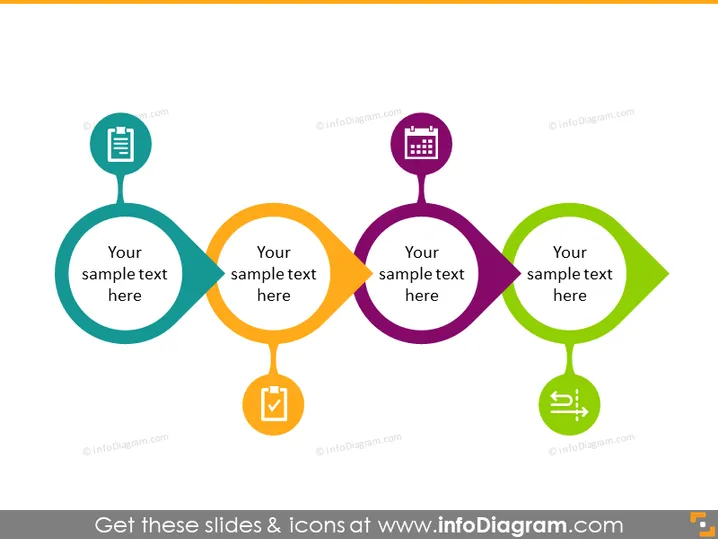
The PowerPoint slide displays a sequence of four stylized nodes connected by arrows, indicating a flow or progression from one stage to the next. Each node contains an icon, a placeholder text "Your sample text here," and a unique color. The icons include a document, a checklist, a calendar, and a symbol representing communication or settings. This slide likely represents a process, workflow, or a set of step-by-step instructions where each node represents a key step or milestone, symbolized by the respective icons. For instance, the document icon could represent the drafting stage, the checklist might denote a verification process, the calendar could suggest scheduling, and the communication/settings icon might imply feedback or adjustments.
Graphical Look
- Four connected nodes with different colors and shapes; teal, orange, purple, and green.
- Each node has a unique icon: a document, a checklist, a calendar, and a communication/settings symbol.
- Nodes are connected in a linear sequence with arrows pointing from one to another, suggesting a flow.
- The shapes of the nodes are circular for the first, third, and fourth, and an elongated oval for the second.
- The arrows are filled with a darker shade of the initiating node's color, creating visual continuity.
- The background of the slide is white, which makes the colorful nodes stand out.
The slide has a clean and modern look with vibrant colors to clearly delineate separate stages or steps in a process. The use of icons helps to visually communicate the purpose or action associated with each step.
Use Cases
- Illustrating steps in a business process or workflow during corporate training sessions.
- Summarizing project phases or milestones in progress reports.
- Communicating company policies or procedures to new employees during onboarding.
- Outlining the agenda or key points in a marketing or sales presentation.
How to Edit
How to edit text & colors

How to expand / shorten diagram

How to Replace Icons in infoDiagram PPT


