
Reviews
Sus gráficos añaden un toque agradable a mis presentaciones y recientemente los usé para una de mis reuniones generales. Su conjunto de herramientas añade profesionalismo a mis diapositivas. En lugar de usar imágenes prediseñadas estándar.
Necesitaba un aspecto fresco para algunas de mis diapositivas. Había intentado encontrar una forma de crear un efecto de pincel, de subrayar, acentuar, añadir algo de color y los marcadores escritos a mano fueron justo lo que necesitaba. Muy fácil de usar, fácil de ajustar el tamaño, cambiar el color. Fue una solución asequible y perfecta, y estoy feliz de recomendarla.
El aspecto nítido y limpio de los gráficos, y el hecho de que me permitiera editar y cambiar fácilmente los colores para que coincidieran con la plantilla fue mi principal razón para comprarlos.
Description
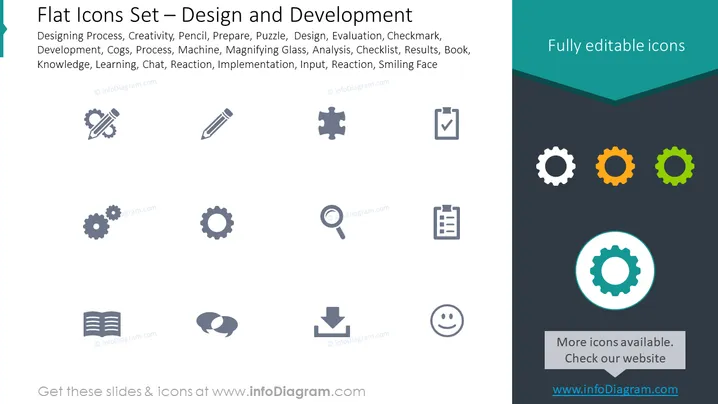
Flat Icons Set – Design and Development
Slide Content
The PowerPoint slide is titled "Flat Icons Set – Design and Development". It showcases a collection of icons representing various aspects of the design and development process. These icons include symbols for designing processes, creativity, preparation, puzzles (symbolizing problem-solving), evaluations, checkmarks (representing task completion), cogs (indicating machinery or systems), processes, magnifying glasses (for analysis), checklists, books (indicating knowledge), learning, chat (for communication), reactions (feedback), and smiling faces (customer satisfaction or a positive outcome). Each icon on the slide corresponds to a different element of the design and development workflow.
Graphical Look
- The slide background is divided into two sections: a lighter gray on the left and a dark gray on the right.
- A light blue, ribbon-shaped banner spans the top right corner with the text "Fully editable icons" in white.
- A collection of gray-scale icons is arrayed in three rows and four columns on the left-hand side of the slide.
- One icon in the lower-right corner within the lighter gray area is highlighted with a subtle cyan circle.
- Each icon is a flat design and represents a different concept, including a gear, pencil, puzzle piece, magnifying glass, etc.
- A rectangular button-like shape with the text "More icons available. Check our website" and a web address is centered at the bottom within the dark gray section.
The slide has a clean, modern appearance, with a stark contrast between the lighter and darker sections. The icons are minimalistic and designed to convey their intended concepts at a glance.
Use Cases
- Introducing various stages and aspects of a design and development project in a business presentation.
- Using as a visual aid during workshops or training sessions focused on project management, design thinking, or product development processes.
- Enhancing brainstorming sessions by providing a visual representation of the different areas to consider in creative problem -solving.
- Creating informative materials for clients or team members to outline services offered by a design and development firm.
How to Edit
How to edit text & colors

How to expand / shorten diagram

How to Replace Icons in infoDiagram PPT


