
Reviews
Sus gráficos añaden un toque agradable a mis presentaciones y recientemente los usé para una de mis reuniones generales. Su conjunto de herramientas añade profesionalismo a mis diapositivas. En lugar de usar imágenes prediseñadas estándar.
Necesitaba un aspecto fresco para algunas de mis diapositivas. Había intentado encontrar una forma de crear un efecto de pincel, de subrayar, acentuar, añadir algo de color y los marcadores escritos a mano fueron justo lo que necesitaba. Muy fácil de usar, fácil de ajustar el tamaño, cambiar el color. Fue una solución asequible y perfecta, y estoy feliz de recomendarla.
El aspecto nítido y limpio de los gráficos, y el hecho de que me permitiera editar y cambiar fácilmente los colores para que coincidieran con la plantilla fue mi principal razón para comprarlos.
Description
Flat Icons Set - for Company Types
Slide Content
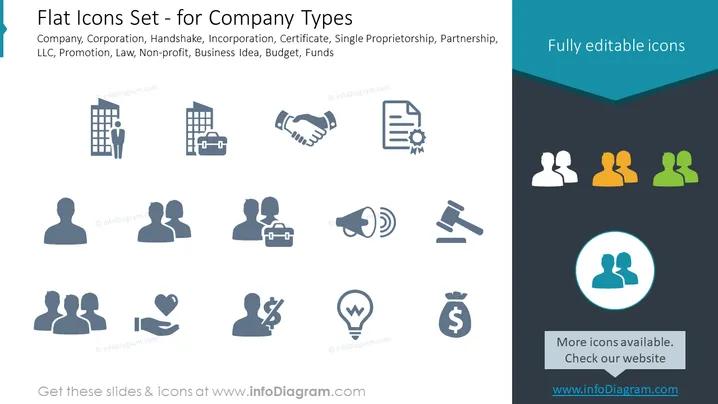
The slide displays a collection of flat icons related to various business themes, such as Company, Corporation, Handshake, Incorporation, Certificate, Single Proprietorship, Partnership, LLC, Promotion, Law, Non-profit, Business Idea, Budget, and Funds. Each icon graphically represents the respective concept—office buildings for 'Company', handshake for 'Partnership', a certificate for 'Incorporation', and other stylized symbols for the remaining themes.
Graphical Look
- The slide background is a plain, light grey color.
- The title of the slide is at the top in a dark turquoise header band.
- There are two text sections, one on the left side of the title section and one at the bottom of the slide, both displaying in white against the dark turquoise background.
- A total of 15 flat icons are evenly distributed in three rows, each depicting different business concepts such as a building, a handshake, and so forth.
- Icons are monochrome and are in shades of dark blue, matching the color theme of the slide.
- Smaller text labels below the icons are not visible.
- There are colored profile icons in the top right corner, suggesting various user roles or departments within an organization.
The overall look of the slide is clean, professional, and modern, with simple graphics and a consistent color scheme that guides viewers to focus on the icons.
Use Cases
- To illustrate different types of business entities in an introductory presentation for aspiring entrepreneurs or business students.
- As a visual aid during a corporate training session about understanding company structures and legal distinctions.
- In an investment pitch to highlight various aspects of the business, like partnerships, incorporation, and funding strategies.
- To enhance visual engagement in reports or informational material dealing with corporate legislation, governance, or financial planning.
How to Edit
How to edit text & colors

How to expand / shorten diagram

How to Replace Icons in infoDiagram PPT


