
Reviews
Sus gráficos añaden un toque agradable a mis presentaciones y recientemente los usé para una de mis reuniones generales. Su conjunto de herramientas añade profesionalismo a mis diapositivas. En lugar de usar imágenes prediseñadas estándar.
Necesitaba un aspecto fresco para algunas de mis diapositivas. Había intentado encontrar una forma de crear un efecto de pincel, de subrayar, acentuar, añadir algo de color y los marcadores escritos a mano fueron justo lo que necesitaba. Muy fácil de usar, fácil de ajustar el tamaño, cambiar el color. Fue una solución asequible y perfecta, y estoy feliz de recomendarla.
El aspecto nítido y limpio de los gráficos, y el hecho de que me permitiera editar y cambiar fácilmente los colores para que coincidieran con la plantilla fue mi principal razón para comprarlos.
Description
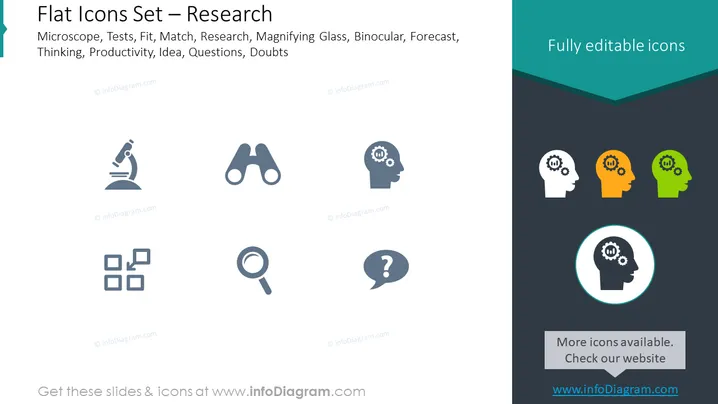
Flat Icons Set – Research
Slide Content
The PowerPoint slide titled "Flat Icons Set – Research" showcases a collection of icons related to research and analytical themes. The icons are named as follows: Microscope represents scientific exploration or experimentation; Tests could symbolize various modes of assessment; Fit may indicate compatibility or suitability; Match can refer to finding similarities or connections; Research signifies systematic investigation; Magnifying Glass implies scrutiny or detailed observation; Binocular could represent foresight or surveying; Forecast suggests prediction or future trends analysis; Thinking might denote cognitive processes; Productivity indicates efficiency or output; Idea symbolizes creativity or innovation; Questions could imply inquiry or curiosity; Doubts may represent uncertainty or skepticism. Each concept is represented with a simple, flat graphic icon, suggesting a streamlined approach to presentation design elements.
Graphical Look
- The slide background is split diagonally from the top right corner to the bottom left with light gray on the left side and dark teal on the right side.
- There are nine flat-style icons evenly distributed in three rows and three columns on the light gray side. These icons are grayscale and represent a microscope, binoculars, a person silhouette with a gear inside the head, three squares connected by lines, a magnifying glass, a speech bubble with a question mark, and three head silhouettes with gears inside in different colors: white, orange, and green. The latter set of icons is also enclosed in a circle on the dark teal side as the standout icon.
- All icons have a simple and modern vector design.
- On the top right corner of the dark teal side, there's text stating "Fully editable icons" in white letters.
- At the bottom of the dark teal side, there's a grayish banner with rounded corners and text encouraging to "Check our website", including a web address.
The slide has a clean and modern aesthetic, with a sharp contrast between the two halves created by the background color divide. The icons are simplistic and use a limited color palette, focusing on ease of interpretation and a professional presentation style.
Use Cases
- Presenting research tools and methodologies in academic or corporate settings.
- Highlighting different stages or elements of the research framework in project proposals.
- Visualizing teamwork concepts by using the iconography to denote different roles or thought processes within a group.
- Enhancing reports or publications with visual aids to clarify concepts related to data analysis, investigation, and problem-solving strategies.
How to Edit
How to edit text & colors

How to expand / shorten diagram

How to Replace Icons in infoDiagram PPT


