
Reviews
Your graphics add a nice touch to my presentations and I recently used them for one of my all-hands meetings. Your toolbox adds professionalism to my slides. Instead of using standard clipart.
I needed a fresh look at some of my slides. I've tried to find a way to create a paintbrush effect, to underline, accentuate, add some color and the handwritten markers were just the things. Very easy to use, easy to size, change the color. It was an affordable, perfect solution and I'm happy to recommend it.
The crisp, clean look of the graphics, and the fact that it allowed me to easily edit and change the colors to match the template was my main reason for purchasing them.
Description
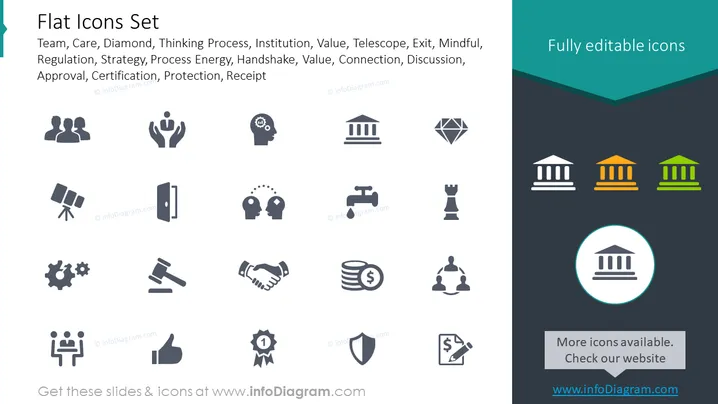
Flat Icons Set
Slide Content
The slide titled "Flat Icons Set" showcases a collection of icons representing various concepts such as Team, Care, Diamond, Thinking Process, Institution, Value, Telescope, Exit, Mindful, Regulation, Strategy, Process Energy, Handshake, Connection, Discussion, Approval, Certification, Protection, and Receipt. Each icon embodies a specific idea or function: Team implies collaboration, Care symbolizes support, Diamond suggests quality or value, Thinking Process represents analysis or problem-solving, and so forth, covering a wide spectrum of themes suited for different presentation contexts.
Graphical Look
- The slide has a dark grey background contrasting with light grey and colored icons.
- It contains three rows of icons, with each row having six icons.
- Each icon is simplistic and designed with a flat aesthetic, lacking any intricate details or depth.
- The icons are uniformly spaced and aligned in a grid pattern.
- The icon set includes symbols like human figures, gear mechanisms, handshakes, and institutional buildings.
- Color is used sparingly with only one icon per row highlighted in teal, yellow, or green.
- Text descriptions are provided under each icon in light grey font, making them subtle yet readable.
- The overall design is minimalistic with a focus on the icons themselves.
- A promotional message is positioned at the bottom featuring a call-to-action with a highlighted icon and a website link.
The slide has a clean and modern look that emphasizes visual communication through icons. The use of color to highlight specific icons draws attention effectively, while the consistent icon style maintains visual coherence.
Use Cases
- To visually represent different business concepts in a presentation, like teamwork, strategic planning, or innovation.
- As an aid in training materials to symbolize various topics or as a graphical summary of services or benefits.
- In marketing materials to effectively communicate core values or features of a product or service through icons.
- Within infographics to illustrate statistics or data points linked to the themes represented by the icons, making the information more engaging for viewers.
How to Edit
How to edit text & colors

How to expand / shorten diagram

How to Replace Icons in infoDiagram PPT


